


N5 Net Software Repository
Your one-stop for all your software needs.
Search N5 Net Software Repository:
Search Files
Sponsor:
Browse:
- Audio & Multimedia (1582)
- Business (1741)
- Communications (469)
- Desktop (134)
- Development (571)
- Education (165)
- Games & Entertainment (709)
- Graphic Apps (683)
- Home & Hobby (106)
- Network & Internet (544)
- Security & Privacy (505)
- Servers (67)
- System Utilities (9267)
- Web Development (284)
Areas Of Interest
Authors Area
Are you a software author? Take a look at our Author Resource Center where you will find marketing tools, software specifically created for promoting your software and a ton of other helpful resources.
The Journal 7
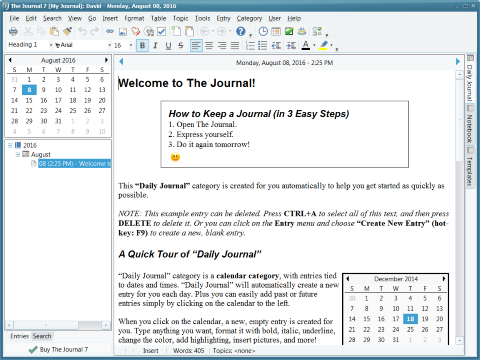
(Click to Enlarge)
The Journal for you! * Keep a daily journal! Keeping a daily journal has never been easier! The Journal always knows what day it is, and automatically brings up a new entry for you every day. * Get organized! With The Journal you can be as organized as you want to be! Keep your "daily pages" separate from your work notes, or your dreams separate from your correspondence--but only if you want to. * Do it Your Way! The Journal has no "agenda"--except to be as useful as possible. Use any journaling style you want, or none at all. It's completely up to you! * The Journal Newsletter! Sent out monthly, The Journal Newsletter provides tips for using The Journal, articles about journaling and writing, writing exercises, and more. DavidRM Software's The Journal makes it easy to keep a daily journal, for both personal and professional use. Whether you want to record your thoughts and dreams, your research notes and writing exercises, your project planning notes and decision details, or just about anything else, The Journal provides an easy-to-use mix of convenience, flexibility, and security. Fast-loading and with the option to "sit" in your Windows system tray, The Journal is always available when you need it. Create as many or as few entry categories as you want, daily entry or "loose-leaf", to be as organized as you want to be. Store text, images, and just about anything else in your entries, and know that The Journal's password-protection and built-in encryption will keep them all secure.
Specifications:
Version: 7 |
Download
|

Similar Products:
Business :: PIMS & Calendars
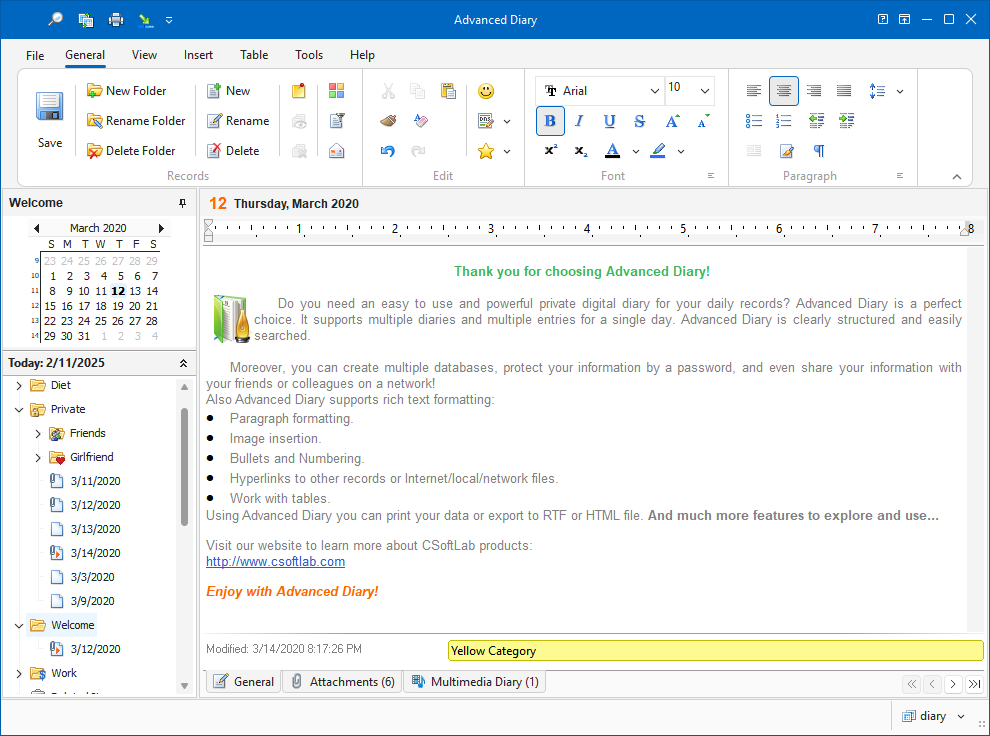 If you are looking for journal software, then look no further than Advanced Diary; a complete solution for anyone who wants to have a private, digital diary. This diary software supports multiple diaries stored in a single database file, making it unique amongst such programs. Full rich text formatting, audio and video recording are also supported and the program may also be run straight from a USB flash drive or other media.
Windows | Shareware
Read More
Communications :: E-Mail Clients
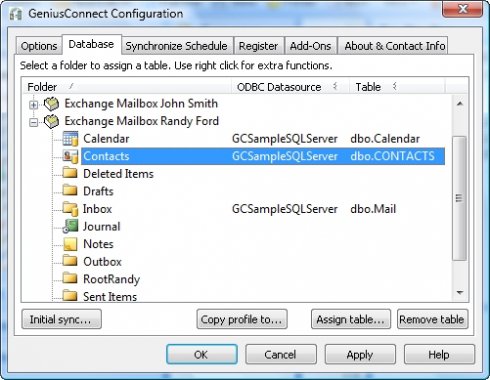 GeniusConnect will synchronize mail folders with any relational database that supports ODBC (MS Access, mySQL, MS SQL Server, Oracle etc.). You can use your own table structure and define conversions for columns with data type's that are not compatible with an Outlook field.
Windows | Shareware
Read More
GENIUS CONNECT - CONTACT 6.0.2.0
Business :: Office Suites & Tools
GeniusConnect will synchronize Outlook Contact data with any relational database that supports ODBC (MS Access, mySQL, MS SQL Server, Oracle etc.).You can use your own table structure and define conversions for columns with data type's that are not compatible with an Outlook field.
Windows | Shareware
Read More
GENIUS CONNECT - CALENDAR 6.0.2.0
Business :: PIMS & Calendars
Synchronize Outlook or Exchange Calendar folders with any SQL database that supports ODBC (MS Access, mySQL, MS SQL Server, Oracle etc.).A Calendar folder can be linked to a database table or view. You can use your own table structure and define conversions for columns with data type's that are not compatible with an Outlook field.
Windows | Shareware
Read More