


N5 Net Software Repository
Your one-stop for all your software needs.
Search N5 Net Software Repository:
Search Files
Sponsor:
Browse:
- Audio & Multimedia (1582)
- Business (1741)
- Communications (469)
- Desktop (134)
- Development (571)
- Education (165)
- Games & Entertainment (709)
- Graphic Apps (683)
- Home & Hobby (106)
- Network & Internet (544)
- Security & Privacy (505)
- Servers (67)
- System Utilities (9267)
- Web Development (284)
Areas Of Interest
Authors Area
Are you a software author? Take a look at our Author Resource Center where you will find marketing tools, software specifically created for promoting your software and a ton of other helpful resources.
PPT to EXE Converter 6.11
Audio & Multimedia :: Presentation Tools
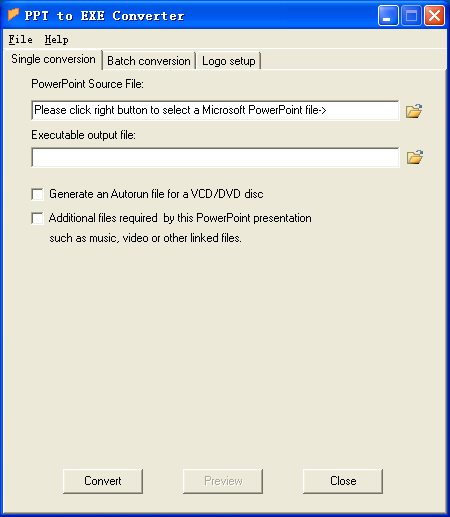
(Click to Enlarge)
PPT to EXE Converter is an application that will help you to convert PowerPoint presentations (PPT) into professional self-running EXE files. The EXE files can be copied to any computer and will run on Windows 2000 (SP4 or newer), XP (SP1 or newer), 2003 Serve , Vista or windows 7 without requiring any additional program files. If you want to send someone your PowerPoint presentation, or distribute it via the internet or through data CDs, the best way to ensure that everyone can view your presentation (no matter whether they have installed the needed version of PowerPoint on their computers) is to convert to a self-running EXE file using PPT to EXE Converter. PPT to EXE Converter do not require Microsoft PowerPoint. And, the self-running exe file converted does not require Microsoft PowerPoint on your viewer's computer. PPT to EXE Converter can do Single conversion and Batch conversion. PPT to EXE Converter can help you to generate your own output exe file, such as : you can assign icon images for output exe file and setup your picture images before or after presentation.
Specifications:
Version: 6.11 |
Download
|

Similar Products:
Security & Privacy :: Other
 RecentCleaner is a personal privacy tool designed to clear recent files lists of various programs. Clearing recent file lists makes it impossible for an intruder to recover any trace of recently accessed files, making it really hard to quickly find private files. RecentCleaner is a plug-in based utility. It supports Word, Excel, PowerPoint, Front Page, Windows Recent, WinZip, WinRar.
Windows | Shareware
Read More
AILT PDF TO ALL DOCUMENT CONVERTER 7.1
Business :: Office Suites & Tools
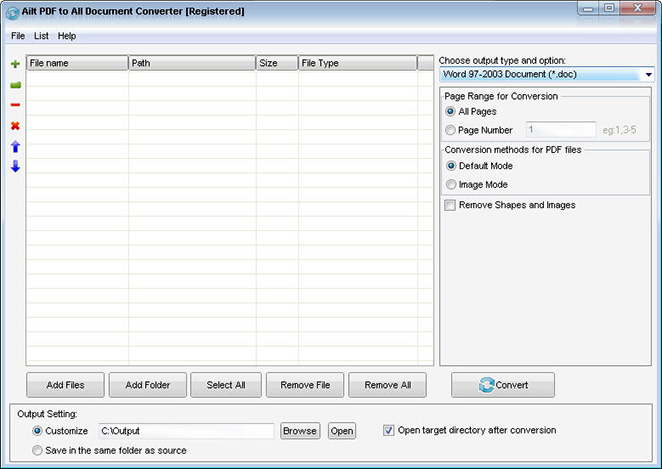 Ailt PDF to All Document Converter is an application which you can use to convert PDF files to any file format like Word, Excel, PowerPoint, SWF, image etc. It can support comprehensive formats: DOC, DOCX, DOCM, RTF, XLS, XLSX, XLSM, PPT, PPTX, PPTM, SWF, TXT, HTM, JPG, JPEG, BMP, EMF, WMF, TIF, GIF, PNG, PCX, ICO, J2K, JP2 etc. It does not need Adobe Acrobat software support.
Windows | Shareware
Read More
AILT POWERPOINT TO PDF CONVERTER 7.1
Business :: Office Suites & Tools
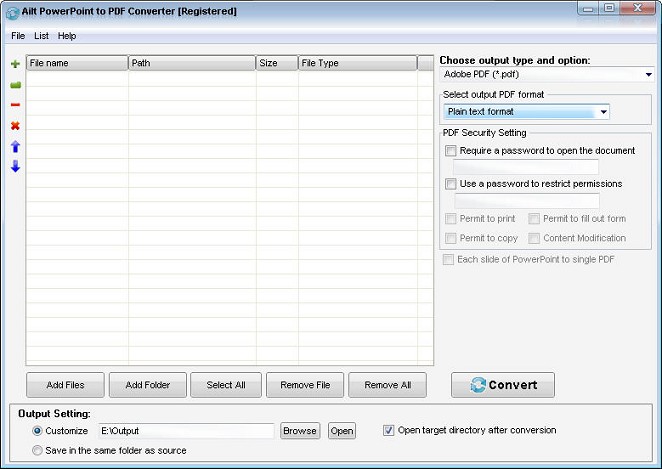 Ailt PowerPoint to Pdf Converter lets you batch convert PowerPoint documents (including PPT, PPTX, PPTM) to fully-formatted and professional-quality PDF file format instantly. The output PDF quality is super good with preserving the original text, tables, image, layout etc. User-friendly interface is very easy to use with merely a few clicks. It is a standalone program which does not need Adobe Acrobat software support.
Windows | Shareware
Read More
Business :: Office Suites & Tools
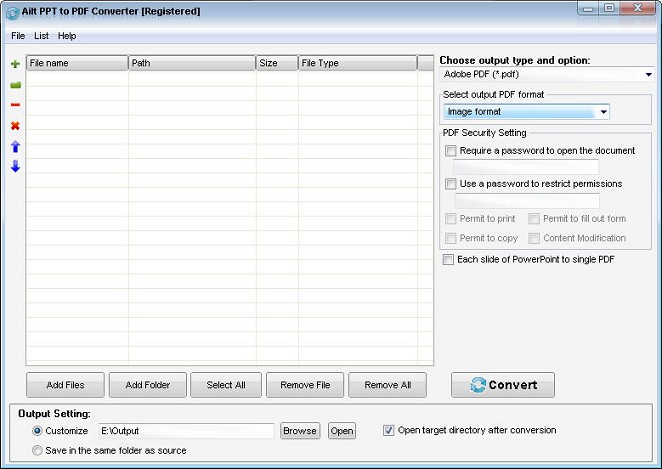 Ailt PPT to PDF Converter is a powerful PDF converter which can batch convert PowerPoint PPT format files to PDF with accurately retaining the layout of the original document file. More, the conversion speed is very fast. It is a standalone program which does not need Adobe Acrobat software support. Merely a few clicks can finish the conversion.
Windows | Shareware
Read More