


N5 Net Software Repository
Your one-stop for all your software needs.
Search N5 Net Software Repository:
Search Files
Sponsor:
Browse:
- Audio & Multimedia (1582)
- Business (1733)
- Communications (469)
- Desktop (135)
- Development (557)
- Education (165)
- Games & Entertainment (706)
- Graphic Apps (681)
- Home & Hobby (105)
- Network & Internet (538)
- Security & Privacy (504)
- Servers (67)
- System Utilities (9263)
- Web Development (281)
Areas Of Interest
Authors Area
Are you a software author? Take a look at our Author Resource Center where you will find marketing tools, software specifically created for promoting your software and a ton of other helpful resources.
Bandicam Screen Recorder 8.3.0.2533
Graphic Apps :: Screen Capture

(Click to Enlarge)
Bandicam is a lightweight screen recorder for Windows that can capture anything on your PC screen as a high-quality video. It also allows you to record a certain area on a PC screen, or capture a game that uses the DirectX/OpenGL/Vulkan graphics technologies. Bandicam will help you carry out a game capture with high compression ratio, while preserving the video quality of the original work, and provide performance far superior to other screen capture software that provide similar functions. Bandicam compresses the video while recording and uses fewer CPU/GPU/RAM resources. It also fully supports the hardware accelerated h.264 encoder of Nvidia NVENC/CUDA, Intel Quick Sync video, and AMD VCE which allow videos to be recorded with high speed, high compression ratio, and excellent quality. As a result, there is less lag, and you can save your HDD and CPU. Bandicam displays the FPS number in the corner of the screen while it is active in the 'Game Recording' mode. It also can record video at resolutions of up to 3840x2160 in high quality (2160P UHD video can be made), allowing your webcam stream to be simultaneously recorded and merged with the game / screen recording (Picture-in-Picture, Video-in-Video). In addition, Bandicam supports mouse click effects and a real-time drawing function that allows users to draw lines, boxes, or highlights while recording their computer screen. You can upload the recorded file to YouTube without converting because the recorded file size is 20% to 95% smaller than files created by other software. Furthermore, Bandicam can simply remove the background of a webcam and make a Chroma Key video in real-time while recording. With the Chroma Key and webcam overlay function being used in conjunction with microphone recording, Bandicam has become the ideal screen recorder for making video tutorials or Let's Play videos.
Specifications:
Version: 8.3.0.2533 |
Download
|

Similar Products:
Audio & Multimedia :: Music Composers
 Cut, join, trim, mix, delete parts, split with AVS Audio Editor. Manage your tracks in MP3, FLAC, WAV, M4A, WMA, AAC, MP2, AMR, OGG, etc. Record audio data from various inputs like microphone, vinyl records, and other input lines. Create a unique ringtone for iPhone. AVS Audio Editor is a part of the AVS4YOU.com package. Register once at avs4you.com and work with all tools from the AVS4YOU.com package. Subscribe for $49/year or $79/lifetime.
Windows | Shareware
Read More
MIXPAD MUSIC MIXER AND RECORDER FREE 14.01
Audio & Multimedia :: Music Composers
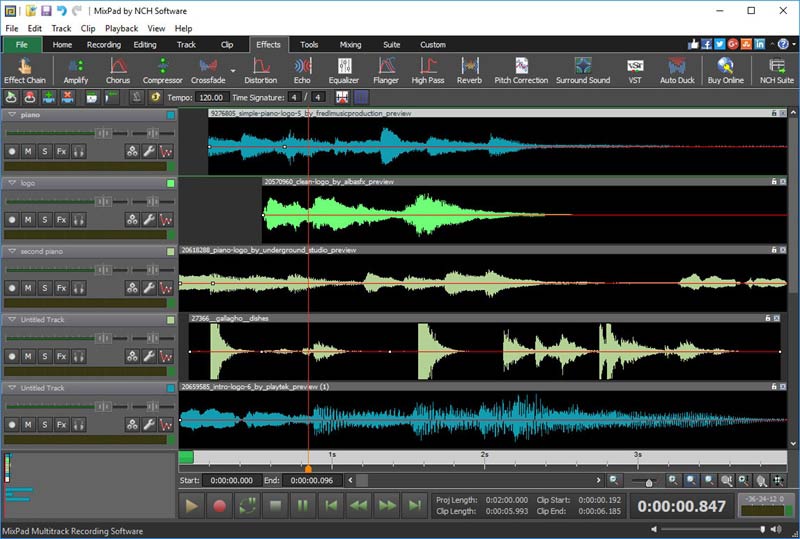 MixPad Free Multitrack Music Mixer and Audio Recorder for Windows allows you to access all of the audio tools needed to create professional mixes and recordings. You can record single or multiple tracks. Add effects to your sound clips such as EQ, reverb, and more. When you are done mixing your audio, output the file to mp3, CD, or many other file formats. MixPad Free supports VST plugins to add additional effects.
Windows | Freeware
Read More
DEBUT FREE SCREEN CAPTURE SOFTWARE 12.05
Audio & Multimedia :: Video Tools
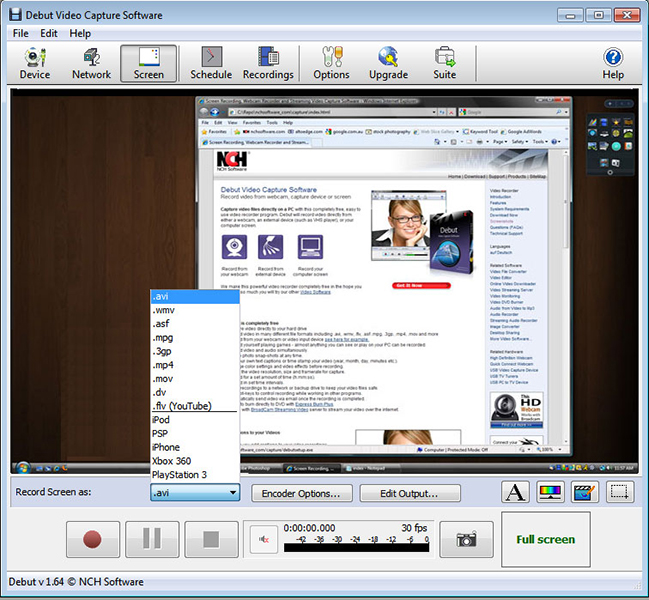 Debut is a free screen capture software. With Debut you can capture video from your entire screen, a single window or a selected portion. Save the recorded video as avi, flv, wmv and other video file formats. Email video recordings automatically when recording has stopped or send via FTP. Set Debut to record video at specific times, record computer games, create how to demonstrations, capture video messages, add text or captions and much more.
Windows | Freeware
Read More