


N5 Net Software Repository
Your one-stop for all your software needs.
Search N5 Net Software Repository:
Search Files
Sponsor:
Browse:
- Audio & Multimedia (1565)
- Business (1732)
- Communications (466)
- Desktop (182)
- Development (569)
- Education (166)
- Games & Entertainment (707)
- Graphic Apps (683)
- Home & Hobby (105)
- Network & Internet (543)
- Security & Privacy (500)
- Servers (65)
- System Utilities (9315)
- Web Development (281)
Areas Of Interest
Authors Area
Are you a software author? Take a look at our Author Resource Center where you will find marketing tools, software specifically created for promoting your software and a ton of other helpful resources.
DUST 1.7
System Utilities :: Launchers & Task Managers
(Click to Enlarge)
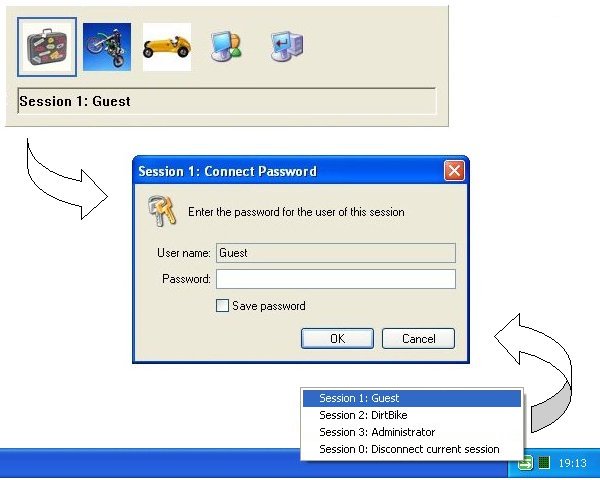
The Direct User Switching Task allows you to switch to another logged on session using a chosen hot key combination just like you use Alt+Tab to switch tasks. This does not involve going to the Windows welcome screen and with password saving and automatic logon makes it very quick and easy to switch between sessions. Ideal for multiple sessions controlled by a single person or for a busy home PC shared by the whole family. You can also disconnect to the welcome screen in order to log on as a new user, this is how you create the logged on sessions between which you can subsequently switch. If you prefer the classic logon prompt but are not using it because you also want Fast User Switching, then this utility is what you want. It allows you to enable the classic logon prompt (via the setup program) and of course you can use it to switch users. When using the classic logon prompt it is possible to lock the session (via Winkey+L) for those times when you want to return a little later and not find the PC taken over by somebody else.
Specifications:
Version: 1.7 |
Download
|

Similar Products:
System Utilities :: Launchers & Task Managers
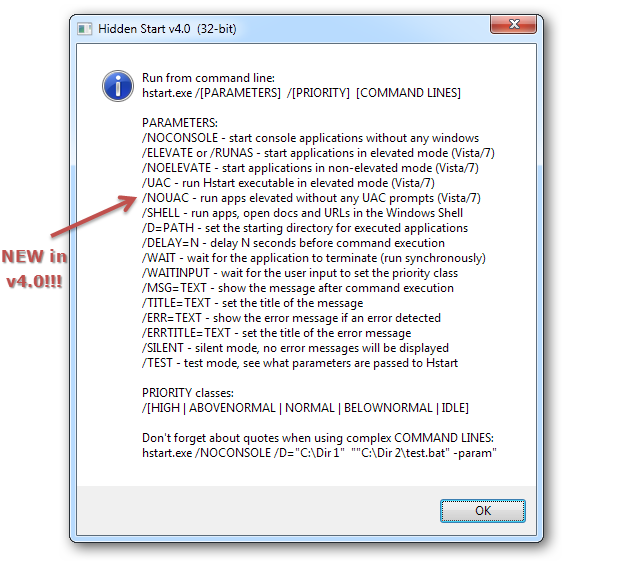 Console applications and batch scripts are regularly run at Windows startup and in schedule. The main inconvenience of this is that every application creates a new console window which flickers on the screen. Hidden Start (Hstart) is a small startup manager that allows console applications to be started without any windows in the background. It can start multiple applications in the specified order and handle UAC privilege elevation under Vista.
Windows | Shareware
Read More
System Utilities :: Launchers & Task Managers
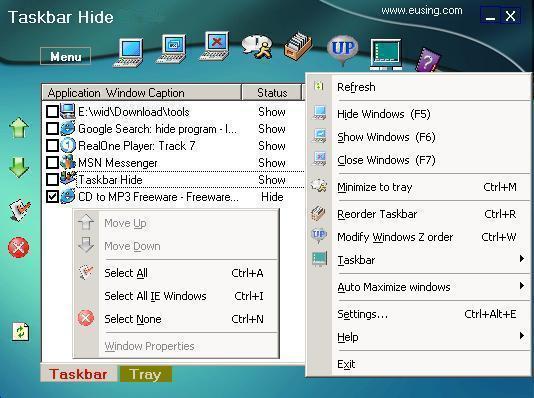 With Taskbar Hide you can fully control the taskbar.Hide windows program (hide applications) or close them completely through a hotkey,or minimize them to system tray.Hide some less used icons from system tray.Reorder the windows on taskbar based on your choice.Change the icon and title of any window.Automatically maximize all new windows or only new IE windows.Set any application window always on top or show it's property.
Windows | Freeware
Read More
System Utilities :: Launchers & Task Managers
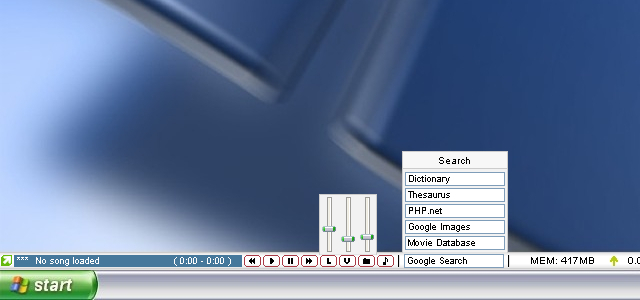 CustomBar is a bar that is always visible, much like the taskbar. Unlike the taskbar, you can place almost anything you want on it. This is accomplished through a scripting/plugin/skinning system that is powerful enough to create some basic apps in. C++ plugins can be used to further extend functionality. Standard features include Winamp controls, web search, volume controls, shortcuts, a mini notepad, system stats and much more. Fully skinnable.
Windows | Shareware
Read More