


N5 Net Software Repository
Your one-stop for all your software needs.
Search N5 Net Software Repository:
Search Files
Sponsor:
Browse:
- Audio & Multimedia (1582)
- Business (1741)
- Communications (469)
- Desktop (134)
- Development (571)
- Education (165)
- Games & Entertainment (709)
- Graphic Apps (683)
- Home & Hobby (106)
- Network & Internet (544)
- Security & Privacy (505)
- Servers (67)
- System Utilities (9267)
- Web Development (284)
Areas Of Interest
Authors Area
Are you a software author? Take a look at our Author Resource Center where you will find marketing tools, software specifically created for promoting your software and a ton of other helpful resources.
pdf2picture 9.0
Graphic Apps :: Converters & Optimizers
(Click to Enlarge)
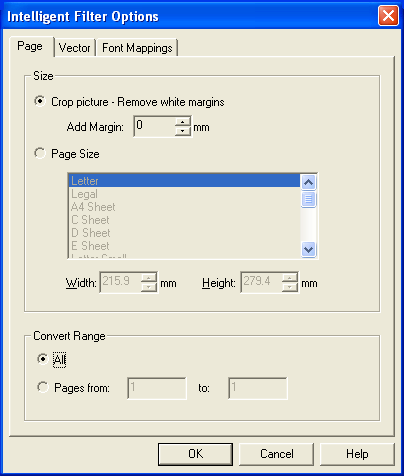
pdf2picture is a handy and inexpensive application that transforms PDF into all standard Microsoft Office graphics formats. It operates in either vector or bitmap mode. Choose vector mode to extract editable graphic objects and text which can be modified using drawing tools in Word, Publisher, PowerPoint, Visio and other Windows applications. Bitmap mode generates impressive, high-fidelity images. It?s the only PDF graphics converter that you will need. Try it free for 30-days! pdf2picture operates on any PDF file you receive. In no time, you'll be able to repurpose PDF illustrations or charts in PowerPoint or modify network diagrams in Visio. You'll free time previously spent redrawing these pictures while improving accuracy and scale. pdf2picture will quickly and convert your PDF files into the native Microsoft vector metafile formats (WMF, EMF, SVG or EPS) so you can edit both the objects and the text. It can also generate standard image formats (GIF, PNG, JPEG, TIFF and BMP) for desktop or web-site publishing. The key to successfully using PDF in Windows applications is knowing what type of PDF file you are starting with. There are two basic types ? vector and raster. In vector mode, pdf2picture can extract the text and objects so you can change attributes of objects such as color, size or scale. In raster mode, also known as image or bitmap mode, it will transform both vector and raster PDF files into high-fidelity images, at the ideal resolution, to spice up your documents and presentations. With pdf2picture, you'll add an invaluable tool to your work environment. Using it, you'll be able to convert any PDF file that you receive into the most ideal format for Microsoft Office and other popular applications. It?s practical and it saves time. Try it today!
Specifications:
Version: 9.0 |
Download
|

Similar Products:
::
 This utility is a Adobe Acrobat PDF file search, index, compare and convert tool.
Advanced PDF Manager includes:
Compare PDF - this utility allows to company Adobe Acrobat PDFs and compare folders with PDF files;
PDF Search - this utility allows to search for PDF files on local hard disks and across the network;
PDF Index - this tool allows to create an index of PDF files and search in it;
PDF2TXT - converts PDF to text.
This utility is a Adobe Acrobat PDF file search, index, compare and convert tool.
Advanced PDF Manager includes:
Compare PDF - this utility allows to company Adobe Acrobat PDFs and compare folders with PDF files;
PDF Search - this utility allows to search for PDF files on local hard disks and across the network;
PDF Index - this tool allows to create an index of PDF files and search in it;
PDF2TXT - converts PDF to text.
Windows | Shareware
Read More
UNIPDF PDF TO DOC CONVERTER 1.3.4
Business :: Office Suites & Tools
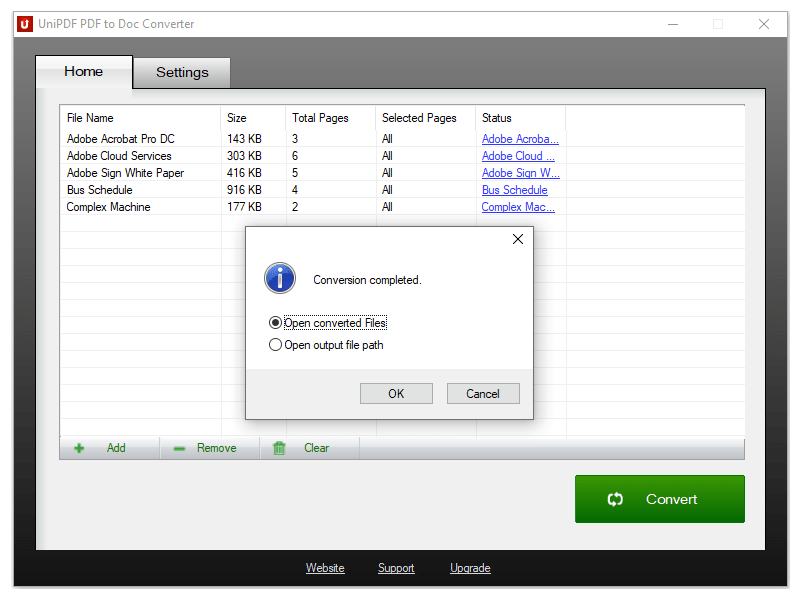 100% Free PDF to Doc converter software. Convert PDF to Doc format in batch mode and keep original document texts, layouts, images. This easy-to-use PDF to Doc converter allows you to change PDF files into Word documents in seconds in only two simple steps: Add PDF files; Convert. It's just that easy! Unlike other online PDF to Doc converters, you don't need to register, upload, and download to get the job done.
Windows | Freeware
Read More
CISDEM PDFMASTER FOR WINDOWS 4.0.0
::
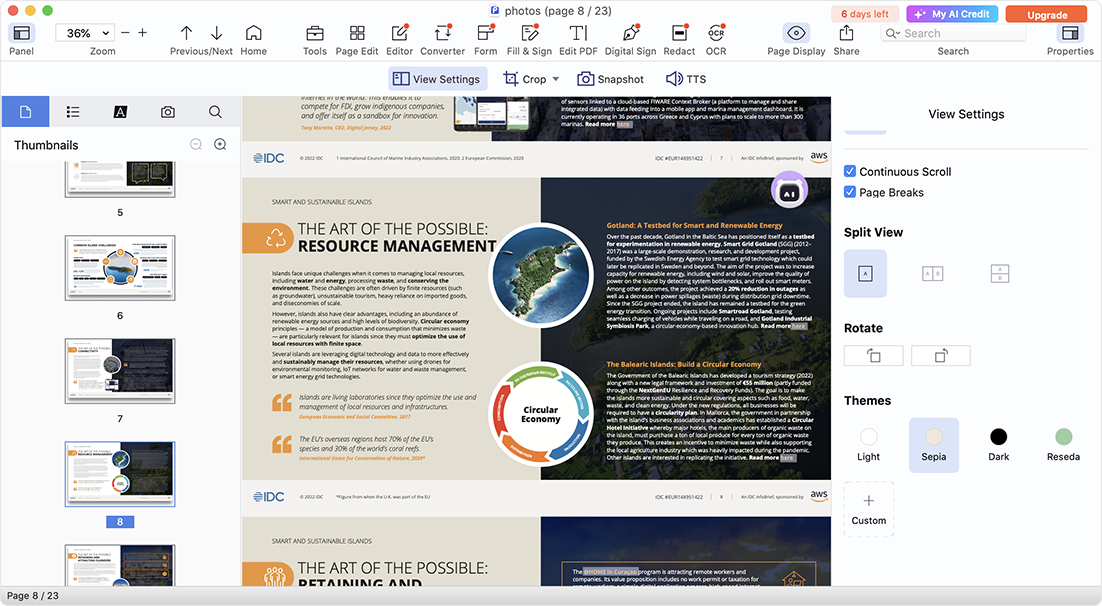 Cisdem PDFMaster offers a complete PDF solution to work with PDF files productively: edit PDF texts, images and links; convert native PDFs as Word, PowerPoint, Excel, Image, etc.; turn scanned files into searchable PDF with OCR; save image, web page and others as PDF; comment and annotate PDF; fill out and create PDF forms; protect PDF; organize PDF pages and other features in one toolset.
Windows | Shareware
Read More
AILT PDF TO ALL DOCUMENT CONVERTER 7.1
Business :: Office Suites & Tools
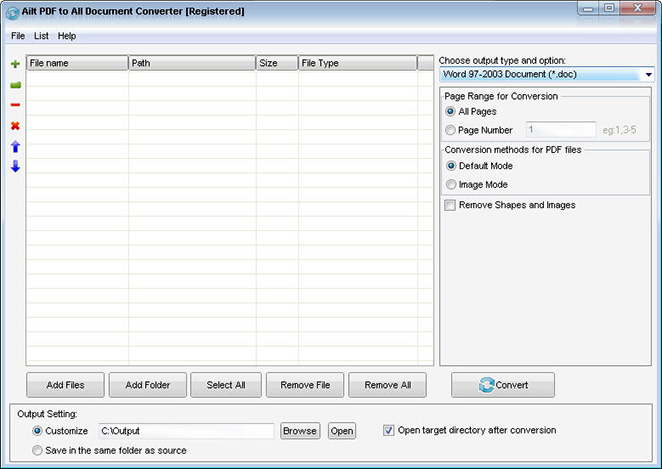 Ailt PDF to All Document Converter is an application which you can use to convert PDF files to any file format like Word, Excel, PowerPoint, SWF, image etc. It can support comprehensive formats: DOC, DOCX, DOCM, RTF, XLS, XLSX, XLSM, PPT, PPTX, PPTM, SWF, TXT, HTM, JPG, JPEG, BMP, EMF, WMF, TIF, GIF, PNG, PCX, ICO, J2K, JP2 etc. It does not need Adobe Acrobat software support.
Windows | Shareware
Read More