


N5 Net Software Repository
Your one-stop for all your software needs.
Search N5 Net Software Repository:
Search Files
Sponsor:
Browse:
- Audio & Multimedia (1565)
- Business (1732)
- Communications (466)
- Desktop (182)
- Development (569)
- Education (166)
- Games & Entertainment (707)
- Graphic Apps (683)
- Home & Hobby (105)
- Network & Internet (543)
- Security & Privacy (500)
- Servers (65)
- System Utilities (9315)
- Web Development (281)
Areas Of Interest
Authors Area
Are you a software author? Take a look at our Author Resource Center where you will find marketing tools, software specifically created for promoting your software and a ton of other helpful resources.
AudFree Deezer Music Converter for Windows 2.5.0
Audio & Multimedia :: Rippers & Converters
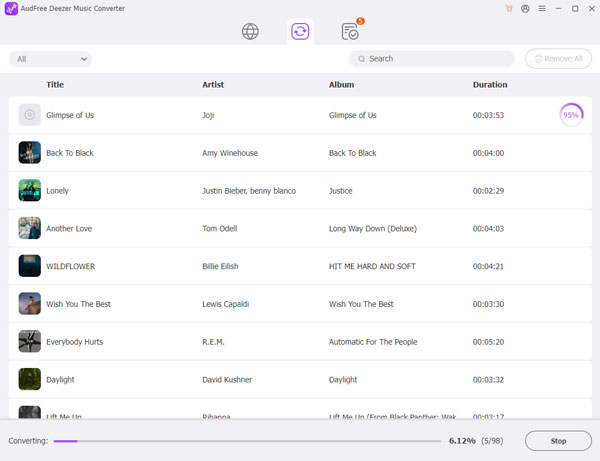
(Click to Enlarge)
AudFree Deezer Music Converter for Windows is a well-designed software dedicated to the download and conversion of Deezer Music. No matter what plan of Deezer you subscribe to, Deezer Free, Deezer Premium or Deezer HiFi, downloading music, playlists and albums from Deezer is quite easy with the help of this all-in-one Deezer Music downloader. What's more, it is able to download and convert Deezer Music to MP3, AIFF, Lossless, M4A, M4B and other common formats at 5X faster speed. What's more amazing is that with the most advanced ID3 tag detection technology, it detects and retains 100% original ID3 tags and metadata info of Deezer Music well. Meanwhile, the powerful custom output settings feature allows you to configure various audio parameters of your Deezer playlists, such as output format, sample rate, bit rate, and more. In general, for better management and organization of Deezer Music libraries, this versatile AudFree Deezer Converter enables users to sort and categorize Deezer Music by album or artist. Thanks to this fascinating Windows Deezer Music downloader, you can play Deezer Music offline on all your devices with ease.
Specifications:
Version: 2.5.0 |
Download
|

Similar Products:
AUDFREE TIDAL MUSIC CONVERTER FOR WINDOWS 3.10.0
Audio & Multimedia :: Rippers & Converters
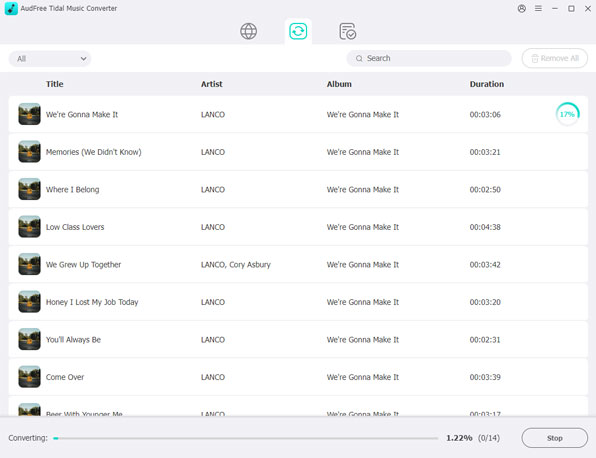 As a smart Tidal DRM removal tool and music converter, AudFree Tidal Music Converter works at up to 37X faster speed to download protected Tidal tracks and convert Tidal songs to MP3, FLAC, WAV, M4A, AIFF, Lossless and M4B on PC. With the professional Tidal music downloader, it?s easy to listen to Tidal songs with original quality and ID3 tags on any device and music player offline even if you have canceled the premium plan on Tidal.
Windows | Shareware
Read More
DRMARE DRM AUDIO CONVERTER FOR WINDOWS 3.5.0
Audio & Multimedia :: Rippers & Converters
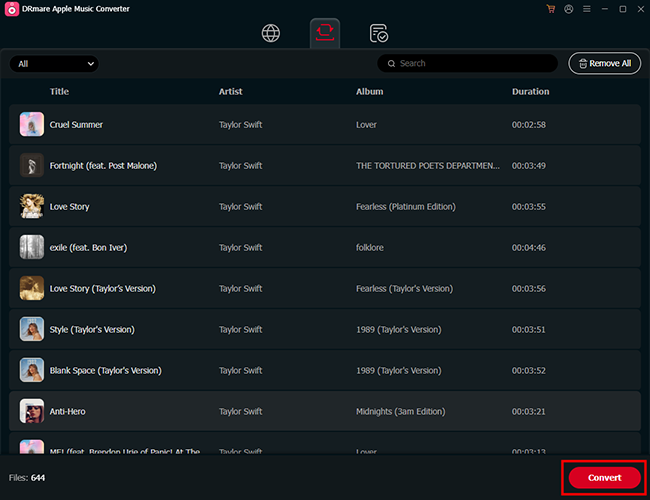 As one of the best streaming audio converter, DRmare Audio Converter is able to losslessly remove DRM lock from all protected audios, including Apple Music, iTunes and Audible audiobooks. Not only that, it can convert both DRM and non-DRM audios to common MP3, AAC, M4A, FLAC, WAV, M4B while preserving original audio quality and ID3 tags for any device and player.
Windows | Shareware
Read More
Audio & Multimedia :: Rippers & Converters
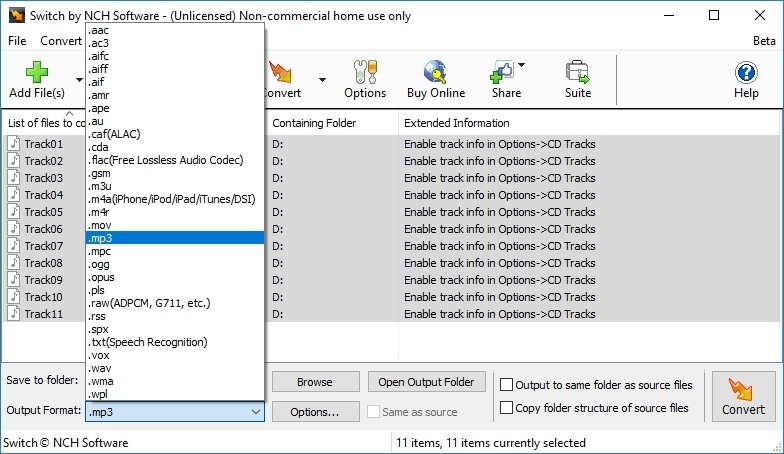 Convert wma to mp3 with Switch audio file format converter for Windows. It can convert mp3, wav or wma format and more to the format of your choice. Switch Converter is very easy to use. Just add the files you want to convert to the list, select the format you want to use, and then click the convert button. Automatically normalize audio while converting. Access online database to add song information as you convert.
Windows | Shareware
Read More
SWITCH FREE AUDIO AND MP3 CONVERTER 14.03
Audio & Multimedia :: Rippers & Converters
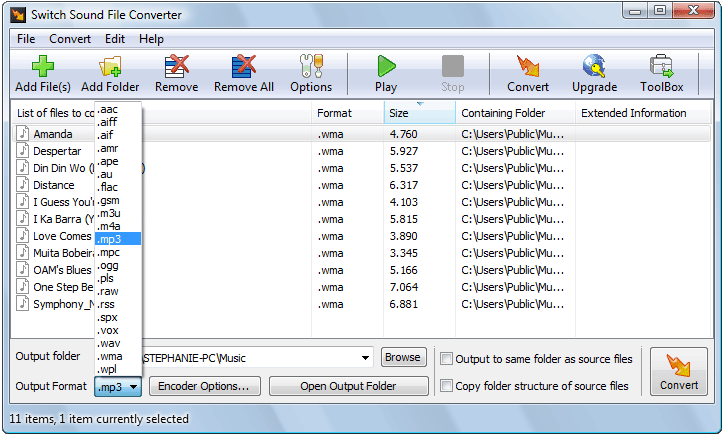 Convert wma to mp3 with Switch audio converter for Windows. It can convert mp3, wav or wma format and more to the format of your choice. Switch Converter is very easy to use. Just add the files you want to convert to the list, select the format you want to use, and then click the convert button. Automatically normalize audio while converting. Access online database to add song information as you convert.
Windows | Freeware
Read More