


N5 Net Software Repository
Your one-stop for all your software needs.
Search N5 Net Software Repository:
Search Files
Sponsor:
Browse:
- Audio & Multimedia (1582)
- Business (1733)
- Communications (469)
- Desktop (135)
- Development (557)
- Education (165)
- Games & Entertainment (706)
- Graphic Apps (681)
- Home & Hobby (105)
- Network & Internet (538)
- Security & Privacy (504)
- Servers (67)
- System Utilities (9263)
- Web Development (281)
Areas Of Interest
Authors Area
Are you a software author? Take a look at our Author Resource Center where you will find marketing tools, software specifically created for promoting your software and a ton of other helpful resources.
VeryUtils SVG Viewer Extension for Windows Explore 2.7
Business :: Office Suites & Tools
(Click to Enlarge)
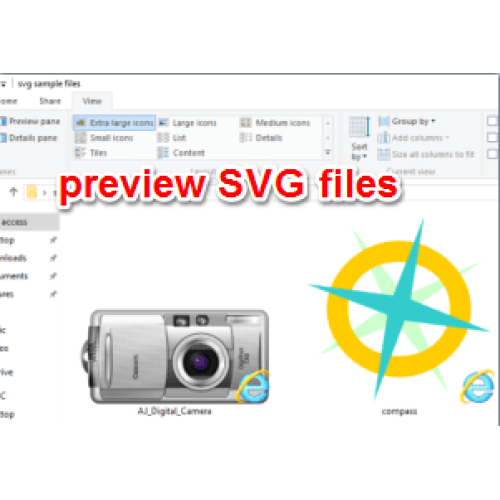
SVG Viewer Extension for Windows Explorer is an extension module for Windows Explorer to render SVG thumbnails, so that you can have an overview of your SVG files. In Windows, if you enable large or extra large thumbnails in File Explorer and select a JPG or PNG file, you can preview it from just its thumbnail. This feature mostly works for common file types. For images, particularly large collections of photos that you've imported from a phone or camera, it's helpful when you're organizing them. Windows gives you a preview of common types of images but this excludes SVG files. If you have a lot of SVG files, you can enable SVG thumbnail preview with a File Explorer extension. To enable SVG thumbnail preview, you need to install the SVG Explorer Extension in Windows. This extension works on Windows 7 and above. It has support for both 32-bit and 64-bit Windows. Once installed, it will preview an SVG file on its thumbnail as well as in the preview pane in File Explorer. You can just simply use the provided binary installers. Make sure you download the right architecture. IMPORTANT: The 32 bit installer will run on a 64 bit system, but the extension will not function. SVG Thumbnail Preview After you buy this software, you will receive two EXE files, one is for 32bit system, another is for 64bit system, please make sure you install the correct one to match your Windows architecture. For example, if you're running 32-bit Windows, download and install the 32-bit version of the extension. If you download the incorrect version, it will still install on your system however, it won't work. Once installed, you need to close, and restart Explorer.exe. You can do this in one of two ways; from the command line, or by restarting your system. If you want to restart Explorer.exe from the command line, open Command Prompt with administrative rights, and run the following command; TASKKILL /IM explorer* /F explorer.exe
Specifications:
Version: 2.7 |
Download
|

Similar Products:
Business :: Office Suites & Tools
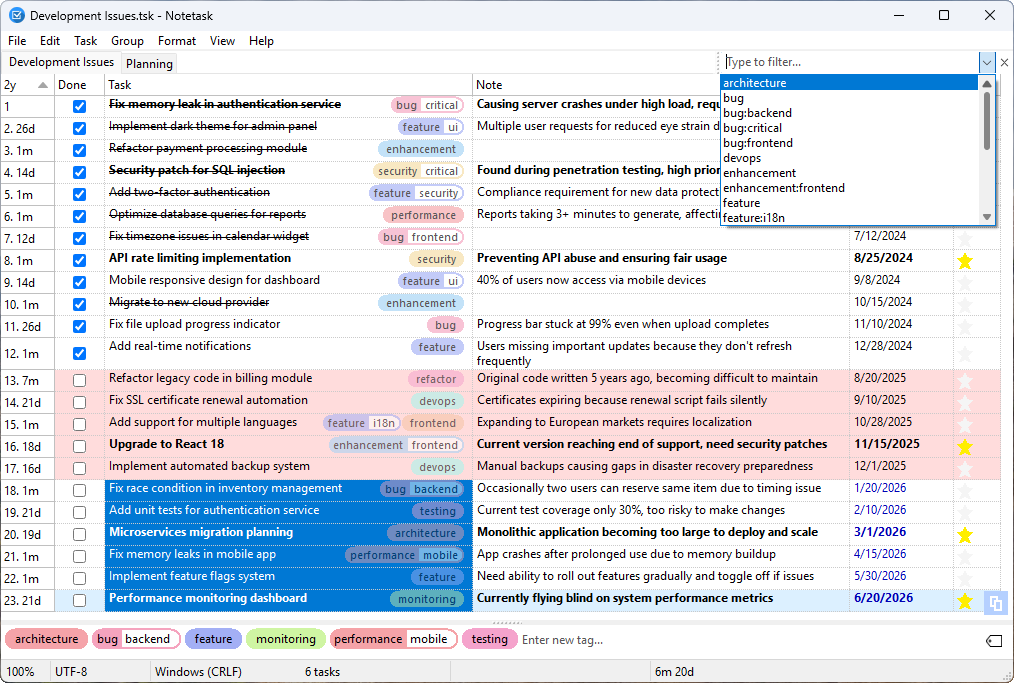 Notetask is a free and open-source cross-platform task manager and note-taking application for Windows and Linux, written in Lazarus (Free Pascal). The core idea of Notetask is simple: it stores tasks and notes in plain text files, where each line represents a separate task or note. Users can also choose to save their files in an encrypted format for personal information, while all data remains local to their device.
Windows Linux | Freeware
Read More
Business :: Office Suites & Tools
 PDF Shaper is a set of feature-rich PDF tools that makes it simple to split, merge, watermark, sign, protect, optimize, convert, encrypt and decrypt your PDF documents. The software is optimized for low CPU resource usage and operates in batch mode, allowing users to process multiple PDF files while doing other work on their computers. PDF Shaper's clean, intuitive interface allows users to become productive in just a few minutes.
Windows | Shareware
Read More
Business :: Office Suites & Tools
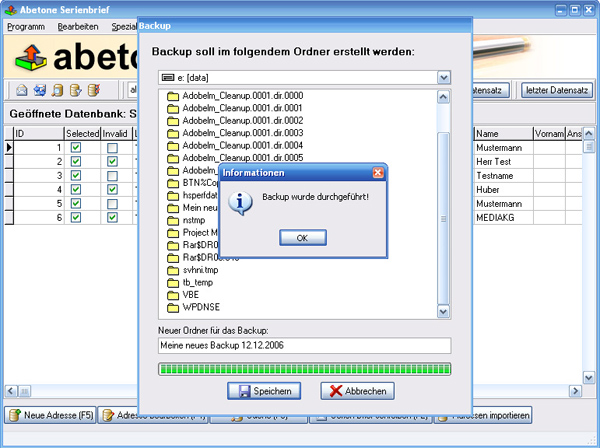 Data base software with serial letter function with personal address
Windows | Shareware
Read More
Business :: Office Suites & Tools
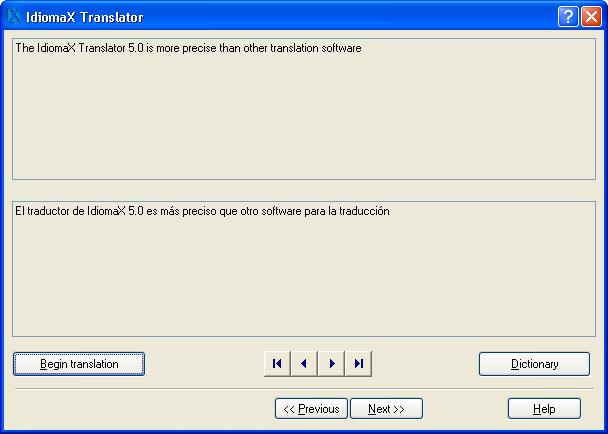 With this assistant-like program you can translate whole documents, not word by word, but analyzing complete sentences. You can also make spell checking, select the text that you do not wish translated, edit the program dictionaries and select the text specialties, before the translation process begins. Translation to/from English, Spanish, Italian and French are included.
Windows | Shareware
Read More