


N5 Net Software Repository
Your one-stop for all your software needs.
Search N5 Net Software Repository:
Search Files
Sponsor:
Browse:
- Audio & Multimedia (1596)
- Business (4238)
- Communications (1257)
- Desktop (183)
- Development (602)
- Education (171)
- Games & Entertainment (702)
- Graphic Apps (686)
- Home & Hobby (107)
- Network & Internet (571)
- Security & Privacy (532)
- Servers (65)
- System Utilities (11196)
- Web Development (284)
Areas Of Interest
Authors Area
Are you a software author? Take a look at our Author Resource Center where you will find marketing tools, software specifically created for promoting your software and a ton of other helpful resources.
Generating UPCE Barcode Maker Tool 7.1.9.4
Business :: Inventory & Barcoding
(Click to Enlarge)
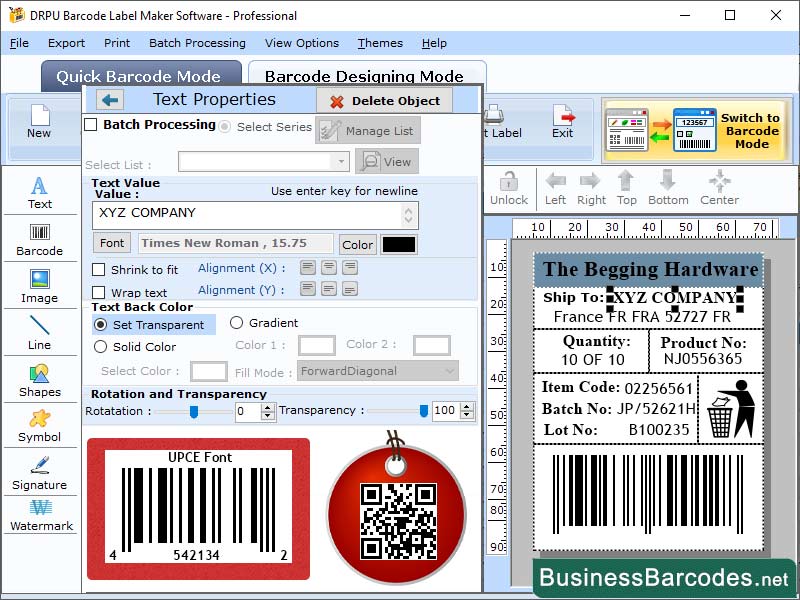
Characters Encoding in UPCE Barcode: UPCE barcode is type of barcode used to encode and decode information about consumer goods, primarily used for identifying and tracking goods in retail settings. It is limited to encoding only numeric characters, unlike other barcode types like Code 128 or Code 39. How Can Generate UPCE barcode? To generate a UPCE barcode, follow these steps: 1. Choose a barcode generator software, either free or paid, and ensure compatibility with your operating system. 2. Install software and select UPCE barcode type. 3. Enter data you want to encode, ensuring it is in correct format and not exceeding the 6-digit limit. 4. Generate barcode by clicking on Generate or Create button in software. 5. Save barcode as an image file, choosing file format and location. 6. Print or use barcode, ensuring it is clear and readable using a high-quality printer and label paper. This process ensures that barcode is easily accessible and can be used in various applications. Advantage of UPCE Barcode: UPCE barcodes are a compressed version of the 12-digit UPC-A code, offering several advantages for retailers and manufacturers. *They take up less space on products and packaging, making them ideal for smaller items. *UPCE barcodes are easy to scan, even in low-light conditions, making them ideal for busy retail environments. *They are highly accurate, with patterns that represent the data encoded in the barcode. Reading and Decoding of UPCE Barcode: UPCE barcodes are a subset of the Universal Product Code (UPC). They are read and decoded using a barcode scanner or smartphone camera with a barcode scanning app. Decoding algorithm is based on the principle of parity, where each digit in the 6-digit code is represented by a unique pattern of bars and spaces. This information can be used by retailers to identify products, track inventory and sales data, and manage supply chain logistics.
Specifications:
Version: 7.1.9.4 |
Download
|

Similar Products:
INVENTORY MANAGEMENT SOFTWARE - INVENTORYPLUS 2.1.3.6
Business :: Inventory & Barcoding
 Handles multiple company accounts,Barcode supports inventory control systems,Thermal bill printing support,Access permission customization allowed,Touchscreen supported,Support multiple language,Customization reports, store billing, retail billing, store stock handling, shop sales bill
Windows MAC Linux | Freeware
Read More
IBARCODER, WINDOWS BARCODE GENERATOR 1.3.7
Business :: Inventory & Barcoding
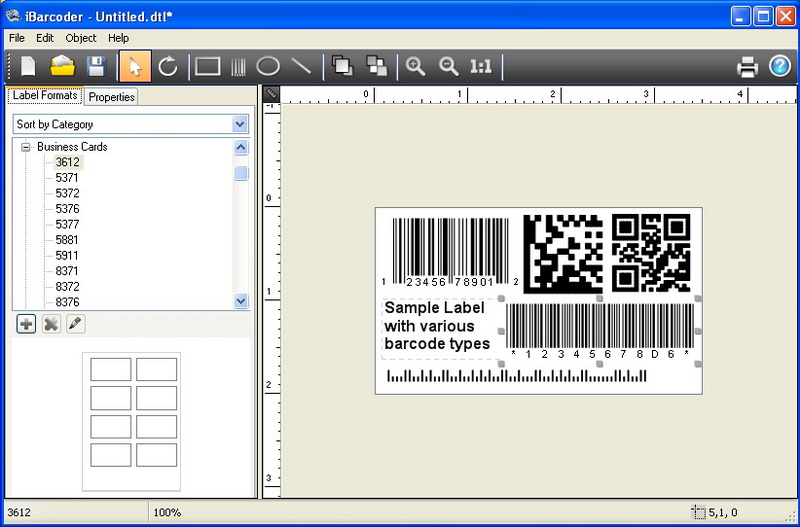 Barcode creator, QR code and Datamatrix generator. Create, print and export barcodes as vector graphics, or high resolution images. Print barcodes on Avery label templates, or make custom formats. Add text and graphics. Barcode types supported: Postnet, Japanpost, FIM Codes, UPC, EAN, ISBN, ISSN, Code 128, Codabar, ITF14, Code 39, Code 11, Code 93, MSI, Interleaved 2 of 5, Datamatrix, Intelligent Mail, Pharmacode and QR Code.
Windows | Shareware
Read More
LABEL SPIRIT ENTERPRISE 7.0.33
Business :: Inventory & Barcoding
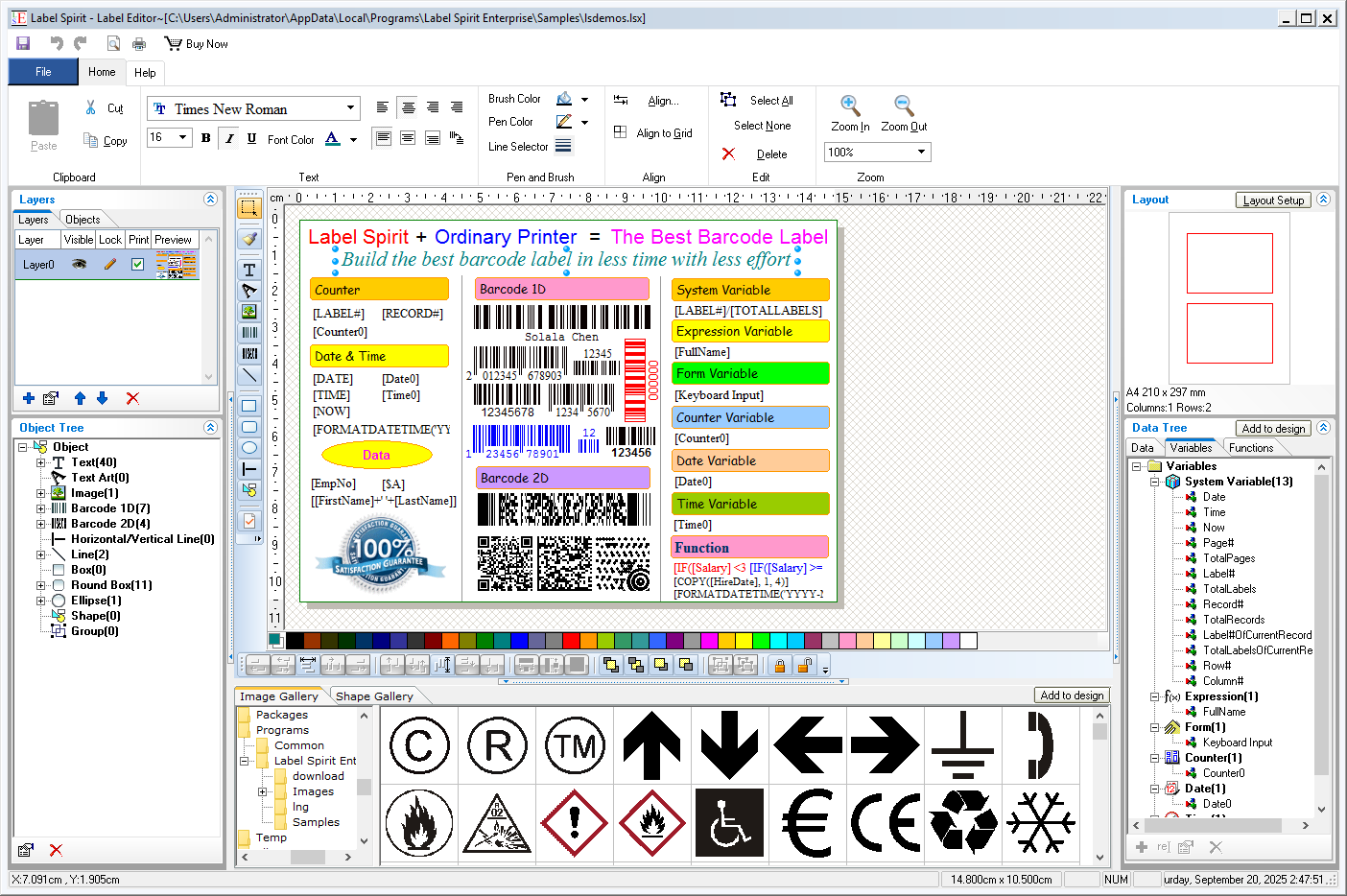 Label Spirit is a professional barcode label software for all your labeling and printing needs. It provides a wide variety of powerful, yet easy to use tools. You can create any size label with text, shapes and images, etc. You can also move, resize and modifying objects on labels. The data sheet lets you generate sequences of data freely, and you can import data from any database through ADO or ODBC too.
Windows | Shareware
Read More
Business :: Inventory & Barcoding
Label Spirit is a professional barcode label software for all your labeling and printing needs. It provides a wide variety of powerful, yet easy to use tools. You can create any size label with text, shapes and images, etc. You can also move, resize and modifying objects on labels. The data sheet lets you generate sequences of data freely. Further more, Label Spirit support variable and functions.
Windows | Freeware
Read More