


N5 Net Software Repository
Your one-stop for all your software needs.
Search N5 Net Software Repository:
Search Files
Sponsor:
Browse:
- Audio & Multimedia (1596)
- Business (4238)
- Communications (1258)
- Desktop (183)
- Development (602)
- Education (171)
- Games & Entertainment (702)
- Graphic Apps (686)
- Home & Hobby (107)
- Network & Internet (571)
- Security & Privacy (532)
- Servers (65)
- System Utilities (11196)
- Web Development (284)
Areas Of Interest
Authors Area
Are you a software author? Take a look at our Author Resource Center where you will find marketing tools, software specifically created for promoting your software and a ton of other helpful resources.
Professional Barcodes Application 4.8.7.5
Business :: Inventory & Barcoding
(Click to Enlarge)
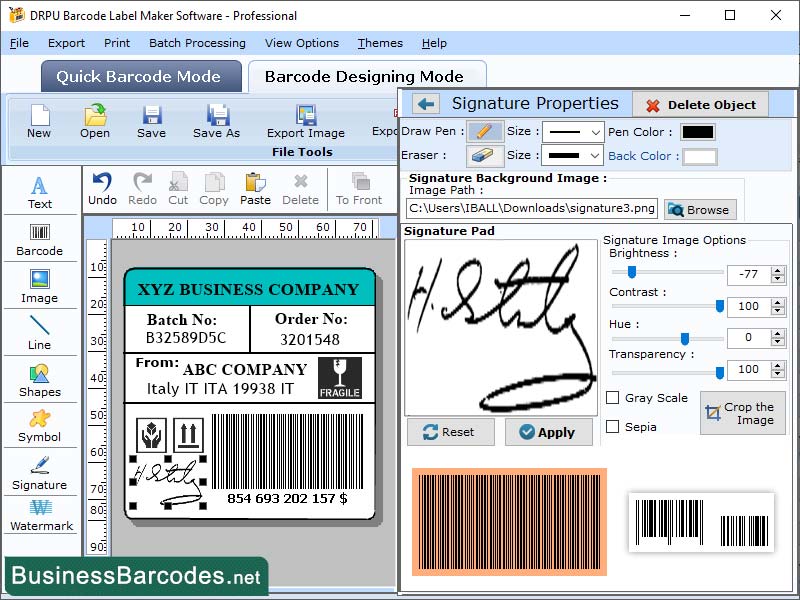
Quick guide to choose right color for barcodes background follows such tips: *The proper colour combination is very important to design enhanced barcode label. Colours are important for the proper readability of the barcode. Some colours combinations that are inappropriate for the scanning because they don?t offer enough contrast between the light background and the dark bars. Do you know about the best and the worst barcode colour combination? Let?s see which colours are suitable for barcode and which colours you should avoid while designing a barcode label. The scanner reads the barcodes more easily when their background reflects the light but bars don?t reflect the same. Yellow, red, or any light-coloured bars are difficult for the scanners to detect so, it is highly recommended that the dark colours should be used for the bars and light colours for the background. Some good barcode colour combination: Black colour printed barcode on white background, black on orange, black on yellow, black on red, blue on white, blue on orange, blue on yellow, blue on red, brown on white, brown on orange, brown on yellow, brown on red, green on white, green on orange, green on yellow, green on red etc. Bad barcode colour combination for scanners: yellow on white, black on brown, red on white, green on black, black on gradient, gradient on white, black on patterned background and black on transparent. Important points to be noted while creating best colour combination patterns for barcodes: *The space between the bars should be lighter than the labels bars. *The barcode background should be lighter and not be of high contrasted colour. *Thin margin used to create the barcodes and not disrupted. Software enables to create colourful barcode labels that are more attractive, more efficient and easier to scan by the barcode scanners. Must consider the barcode scanner, barcode spacing, and contrast while deciding on the colours for your barcode labels.
Specifications:
Version: 4.8.7.5 |
Download
|

Similar Products:
INVENTORY MANAGEMENT SOFTWARE - INVENTORYPLUS 2.1.3.6
Business :: Inventory & Barcoding
 Handles multiple company accounts,Barcode supports inventory control systems,Thermal bill printing support,Access permission customization allowed,Touchscreen supported,Support multiple language,Customization reports, store billing, retail billing, store stock handling, shop sales bill
Windows MAC Linux | Freeware
Read More
IBARCODER, WINDOWS BARCODE GENERATOR 1.3.7
Business :: Inventory & Barcoding
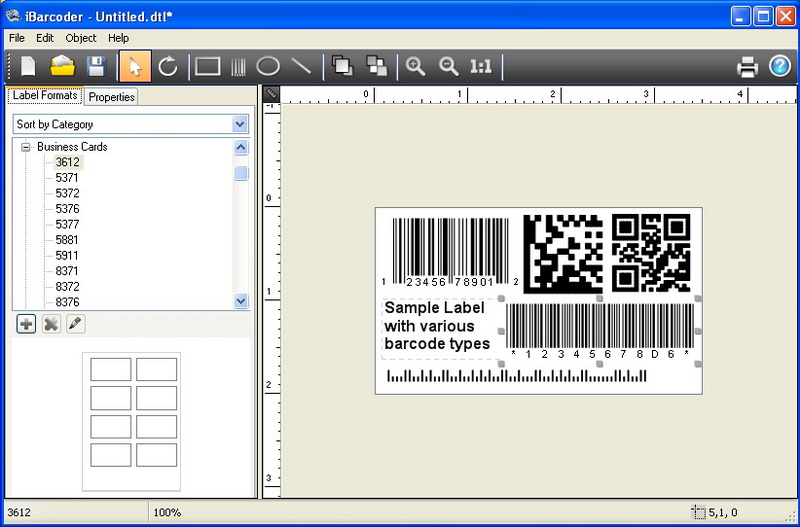 Barcode creator, QR code and Datamatrix generator. Create, print and export barcodes as vector graphics, or high resolution images. Print barcodes on Avery label templates, or make custom formats. Add text and graphics. Barcode types supported: Postnet, Japanpost, FIM Codes, UPC, EAN, ISBN, ISSN, Code 128, Codabar, ITF14, Code 39, Code 11, Code 93, MSI, Interleaved 2 of 5, Datamatrix, Intelligent Mail, Pharmacode and QR Code.
Windows | Shareware
Read More
LABEL SPIRIT ENTERPRISE 7.0.33
Business :: Inventory & Barcoding
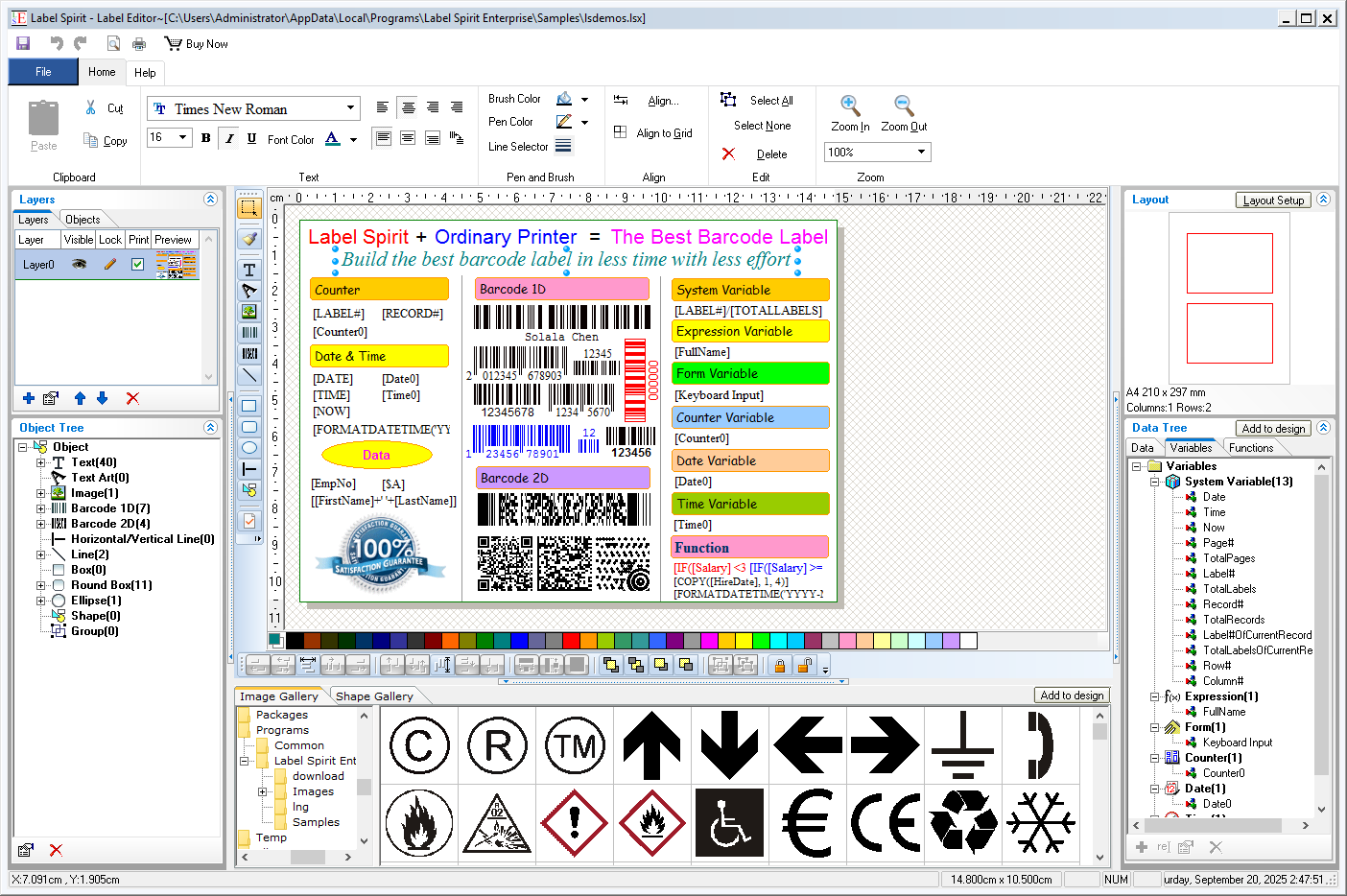 Label Spirit is a professional barcode label software for all your labeling and printing needs. It provides a wide variety of powerful, yet easy to use tools. You can create any size label with text, shapes and images, etc. You can also move, resize and modifying objects on labels. The data sheet lets you generate sequences of data freely, and you can import data from any database through ADO or ODBC too.
Windows | Shareware
Read More
Business :: Inventory & Barcoding
Label Spirit is a professional barcode label software for all your labeling and printing needs. It provides a wide variety of powerful, yet easy to use tools. You can create any size label with text, shapes and images, etc. You can also move, resize and modifying objects on labels. The data sheet lets you generate sequences of data freely. Further more, Label Spirit support variable and functions.
Windows | Freeware
Read More