


N5 Net Software Repository
Your one-stop for all your software needs.
Search N5 Net Software Repository:
Search Files
Sponsor:
Browse:
- Audio & Multimedia (1582)
- Business (1741)
- Communications (469)
- Desktop (134)
- Development (571)
- Education (165)
- Games & Entertainment (709)
- Graphic Apps (683)
- Home & Hobby (106)
- Network & Internet (544)
- Security & Privacy (505)
- Servers (67)
- System Utilities (9267)
- Web Development (284)
Areas Of Interest
Authors Area
Are you a software author? Take a look at our Author Resource Center where you will find marketing tools, software specifically created for promoting your software and a ton of other helpful resources.
Red Eye Remover Pro 1.2
Graphic Apps :: Gallery & Cataloging Tools
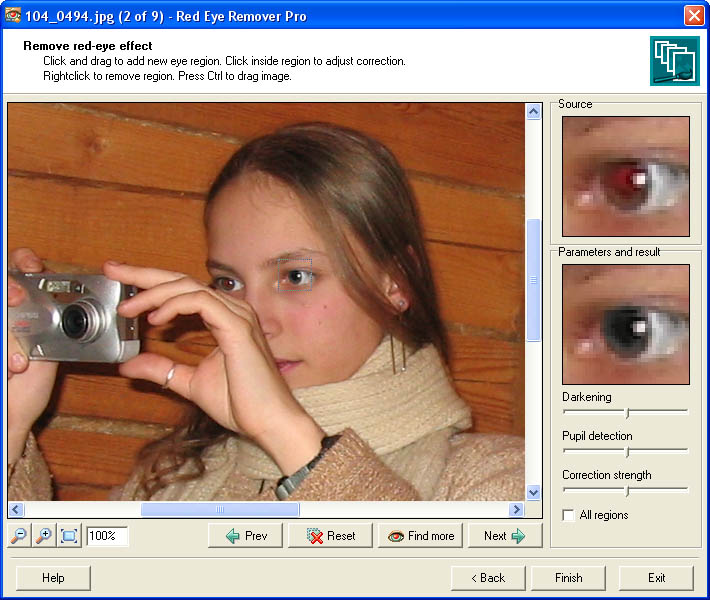
(Click to Enlarge)
Now completely free! Red Eye Remover Pro is a must-have program for digital camera owners. Built-in flashes make red eye effect the most common problem for both professional and amateur photographers. Red Eye Remover Pro is a unique professional red eye correction tool based on advanced science-intensive technology. Red Eye Remover Pro is able to automatically detect and instantly fix red pupils in multiple photos making batch red eye correction fast and precise. The program fixes images with just a few clicks - you just load photos with red eye into the program and Red Eye Remover Pro does the rest. Instances of red eye are effectively detected and fixed in the fully automatic mode in the vast majority of photos (the detection rate is 90%). Even if the program fails to detect all red pupils in the fully automatic mode (this can happen for instance in low-quality photos), all you need to do is select a rectangular area around the eye for the program to fix it. To achieve best results, you can adjust the correction options, and watch the results in real-time: you can make the pupil area darker or lighter to give the eye a natural look; adjust the pupil detection; or change the correction strength. The program allows loading and saving three common image file formats (jpeg, bmp and png). It allows you to work with large collections of images at once and provides a number of saving options: you can save corrected images one by one or simultaneously; and save them to the original or new files. Red Eye Remover Pro also contains a plugin for creating thumbnails of your photos for web galleries.
Specifications:
Version: 1.2 |
Download
|

Similar Products:
Graphic Apps :: Editors
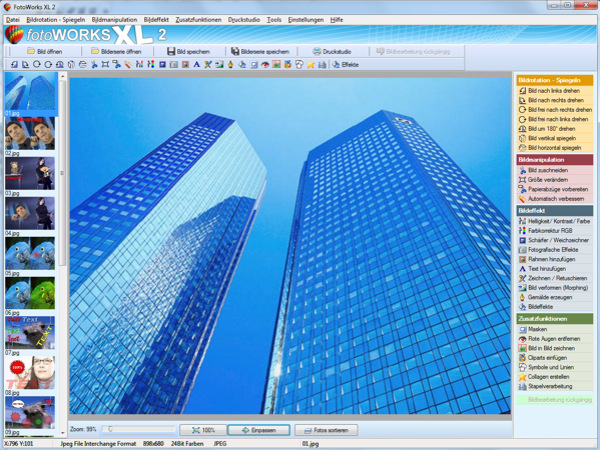 Photo editing software for beginners and professionals. The photo editing software FotoWorks XL includes all well-known photo effects needed to edit, improve, or enhance your photos. Edit photos easily without a long training period. Correct the color, brightness, and contrast values automatically; create photo montages, photo collages, or use the expert functions. Updated: clone stamp
Windows | Shareware
Read More
Graphic Apps :: Editors
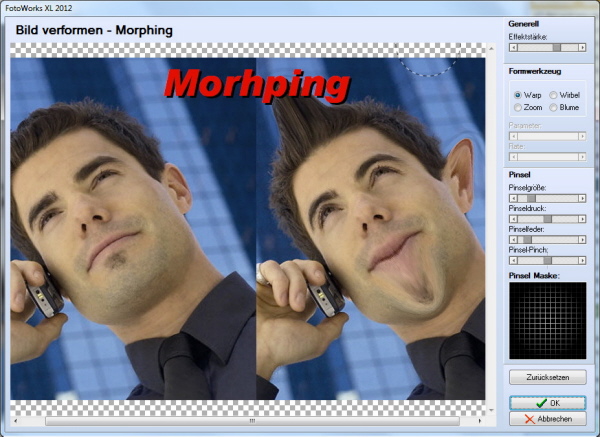 Photo editing software for beginners and professionals. The photo editing software FotoWorks XL includes all well-known photo effects needed to edit, improve, or enhance your photos. Edit photos easily without a long training period. Correct the color, brightness, and contrast values automatically; create photo montages, photo collages, or use the expert functions. Updated: clone stamp
Windows | Freeware
Read More
IMAGE OVERLAY MERGE AND WATERMARK PRO 2014.1.0.0
Graphic Apps :: Editors
 The software is a great tool if you want to enhance any picture for personal use or a marketing campaign or making your images stands out on your website or your eBay listings. Image overlay merge and watermark allows you to create attractive images in simple steps. The software mainly has two modes; Single Merge and overlay mode and Batch merge and overlay mode, all combined with watermark (text or image) and placing several images on one photo.
Windows | Shareware
Read More
Graphic Apps :: Screen Capture
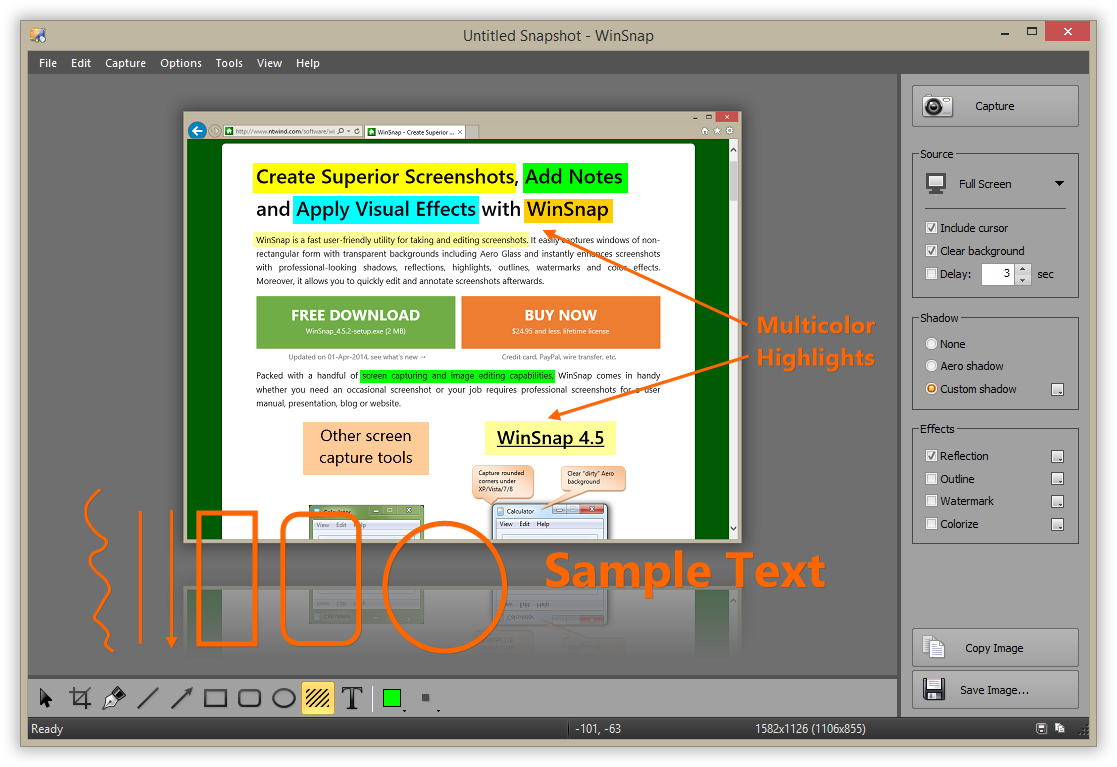 WinSnap is a fast and user-friendly utility for taking and editing screenshots. It easily captures windows of non-rectangular form with transparent backgrounds and instantly enhances screenshots with professional-looking shadows, reflections, highlights, outlines, watermarks and color effects. Moreover, it allows you to quickly edit and annotate screenshots afterwards.
Windows | Shareware
Read More