


N5 Net Software Repository
Your one-stop for all your software needs.
Search N5 Net Software Repository:
Search Files
Sponsor:
Browse:
- Audio & Multimedia (1582)
- Business (1733)
- Communications (469)
- Desktop (135)
- Development (557)
- Education (165)
- Games & Entertainment (706)
- Graphic Apps (681)
- Home & Hobby (105)
- Network & Internet (538)
- Security & Privacy (504)
- Servers (67)
- System Utilities (9263)
- Web Development (281)
Areas Of Interest
Authors Area
Are you a software author? Take a look at our Author Resource Center where you will find marketing tools, software specifically created for promoting your software and a ton of other helpful resources.
Merge Multiple OST Files 3.0
System Utilities :: File & Disk Management

(Click to Enlarge)
OST Merge tool is one of the best solutions to combine multiple Outlook data files into a single PST file. With the help of this utility, the user can easily merge multiple OST files, or a large number of OST files into single file. The software offers multiple modes to merge two OST files into MS Outlook such as Join, Merge and Merge contacts option. Users can choose any of the option to load OST file in it. This Join OST file option allows users to combine OST file by creating a new folder for merged OST. By using Merge OST option user can properly merge similar folders into the single PST. Also, the help of this merge contacts options the user can merge only contacts within OST files. Therefore, the OST merge program has no 2 GB file limitation. The tool provides two options i.e., Add File and Add Folder for combining multiple OST at once. This Add Folder option merge two OST file or more than 2 at a time to integrate Outlook folders in batch mode. Otherwise, if the user wants to add an individual file at once. Moreover, the OST Merge software easily merge two OST files with all items including email, address book etc. Also, the application provides an option to exclude deleted items while merging Ost files. In addition, before merging the OST file, the tool provides an option top create migration report in Portable document format (PDF). For this, the user needs to check this option to save into the PDF file format. If the option is unchecked then, the report will be generated in the CSV file format. The application required MS Outlook installation to combine the OST file. Also, the layout and interface of this, SysTools OST Merge software is very easy-to-use. No technical knowledge is required to operate the software.
Specifications:
Version: 3.0 |
Download
|

Similar Products:
TOOLSBAER OST TO PST MIGRATION TOOL 2.0
System Utilities :: File & Disk Management
 MS Outlook is most popular email-client which creates OST and PST file but some time OST file get unreadable and inaccessible in this situation user need to convert OST into PST data file without disturbing data hierarchy. You can see the preview before the conversion process then save the data into PST file format along with email, inbox, outbox, sent-items, deleted-items, drafts, contacts, calendars, notes (to, cc, bcc, subject, date and time)
Windows | Shareware
Read More
REPAIR OST FILE TO PST FREE 8.0
System Utilities :: File & Disk Management
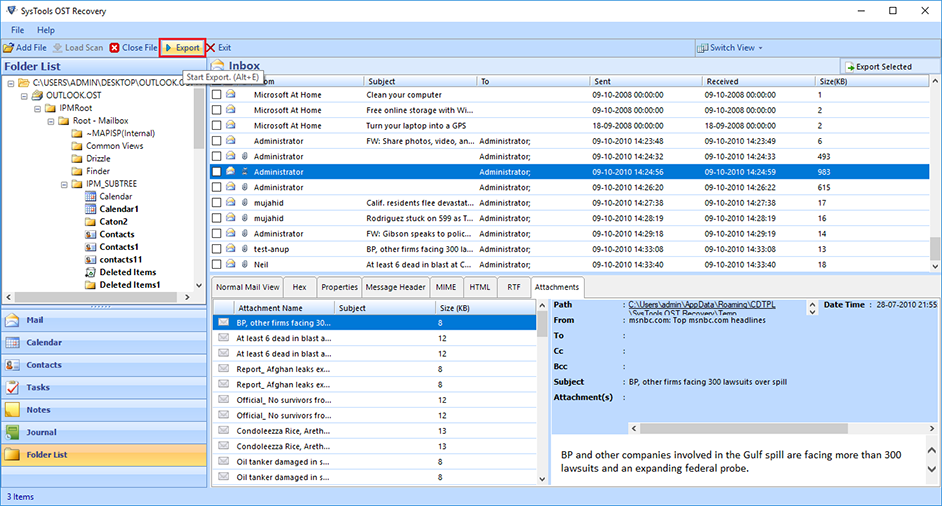 Outlook OST Repair eliminates all corruption of OST files from the scanning process. The tool has two modes: fast or advanced scan. By default, repair Outlook software to OST in a quick scan, but if your data is severely damaged. Ost database, advanced scan is the best. If OST files get damaged due to unexpected errors, repair OST file to PST free. Software Exchange 2010 Repair OST Process useful.
Windows | Shareware
Read More
BATCH FILE MANAGER FREE 5.0.135
System Utilities :: File & Disk Management
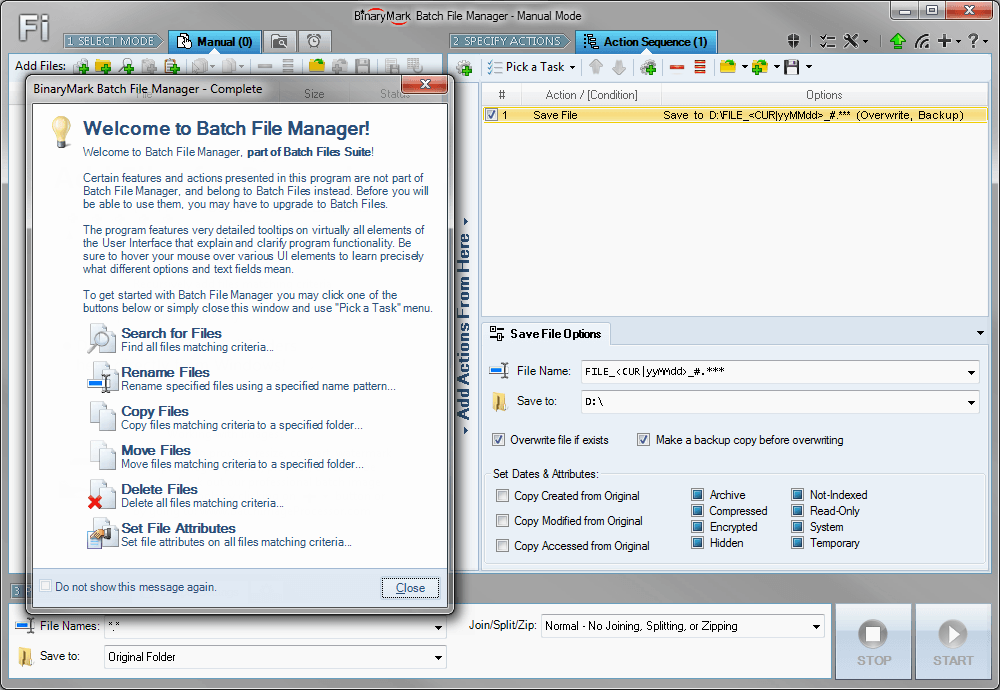 Rename, move, copy, delete, and otherwise manage multiple files. Rename multiple files according to the rules and pattern you specify using powerful editor with syntax highlighting. Copy and move files to folders specified using absolute/relative paths. Select files for processing based on their name, dates, size, text/binary contents using advanced file search supporting RegEx and advanced wildcards. Delete files easily.
Windows | Shareware
Read More
FILE HASH GENERATOR FREE 5.0.135
System Utilities :: File & Disk Management
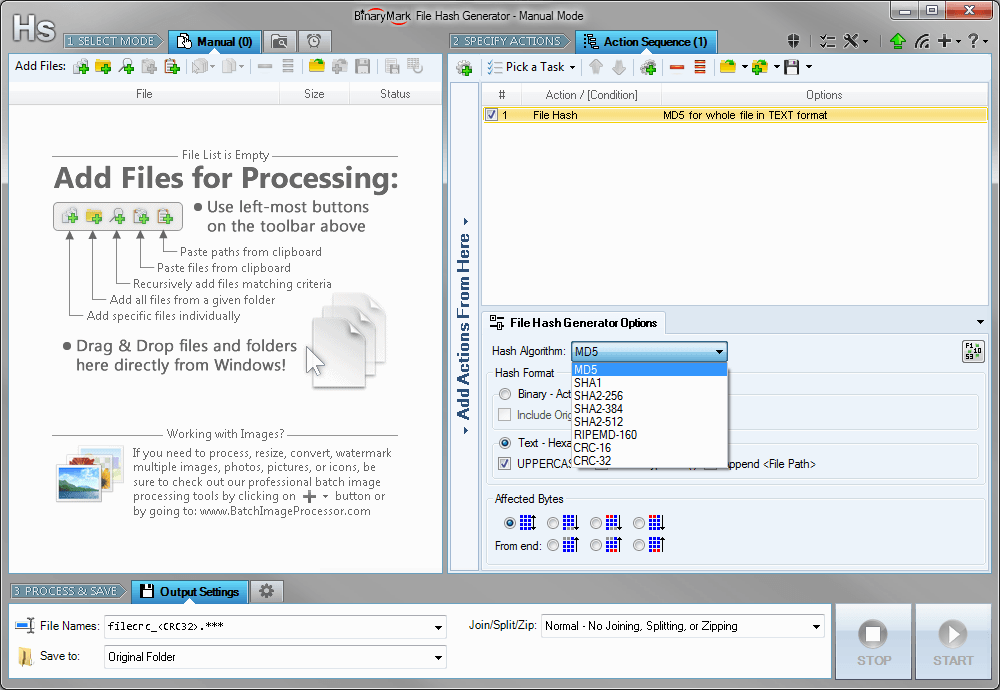 Compute and save MD5, SHA1, SHA2, RIPEMD hashes and CRC16/32 checksums for multiple files! Calculate hashes and checksums for the whole file or just specified bytes. Insert hashes into files in text or binary form. Generate file list with hashes in specified format and save it to a file. Rename files and include hashes in file name.
Windows | Shareware
Read More