


N5 Net Software Repository
Your one-stop for all your software needs.
Search N5 Net Software Repository:
Search Files
Sponsor:
Browse:
- Audio & Multimedia (1582)
- Business (1741)
- Communications (469)
- Desktop (134)
- Development (571)
- Education (165)
- Games & Entertainment (709)
- Graphic Apps (683)
- Home & Hobby (106)
- Network & Internet (544)
- Security & Privacy (505)
- Servers (67)
- System Utilities (9267)
- Web Development (284)
Areas Of Interest
Authors Area
Are you a software author? Take a look at our Author Resource Center where you will find marketing tools, software specifically created for promoting your software and a ton of other helpful resources.
AnyMP4 DVD Ripper for Mac 9.0.90
Audio & Multimedia :: Video Tools
(Click to Enlarge)
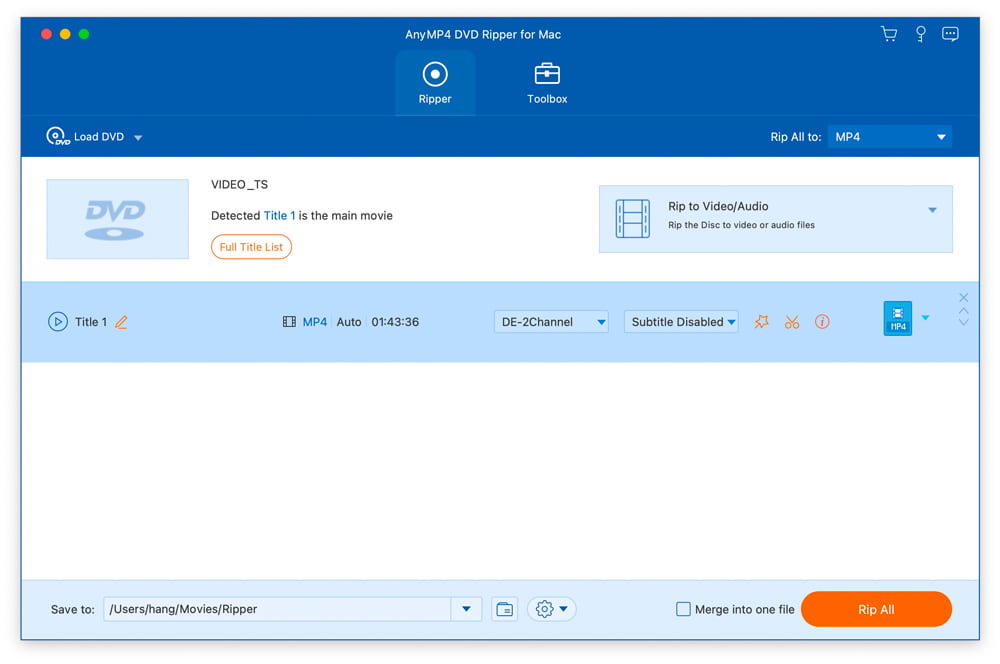
AnyMP4 DVD Ripper for Mac is designed with many pre-defined output profiles, so you can choose one profile at your disposal. It highly supports most portable iOS and Android devices. Thus, you can easily view DVD movies on your smart phone or tablet at home or during travel. Key Features: 1. Convert home-made DVD to any video or audio files. AnyMP4 DVD Ripper for Mac can help you convert home-made DVD to popular videos like MP4, MKV, AVI, MOV, WMV, FLV, M4V, TS, DivX, WebM, 3GP and it can also rip DVD to popular audio formats including MP3, WAV, OGG, M4A, WMA, AC3, etc. with high ripping speed and quality. What's more, you can load RTAV disc and convert it. 2. Edit DVD and adjust video effects. AnyMP4 DVD Ripper for Mac is equipped with many useful editing features to help you customize video effects before ripping the DVD. For instance, you can rotate video position, cut the video length to only save the necessary part, crop video to remove the black edge, add personal text and image watermark, adjust output video effects like brightness, contrast, saturation, and hue. 3. Enhance video quality and compress large video file. With AnyMP4 DVD Ripper for Mac, you can enhance video quality easily and compress a large HD/SD video in MTS, TS, MP4, MOV, etc. into a smaller size file according to you need. Moreover, this software enables you to make GIF image with it conveniently and change screen capture formats.
Specifications:
Version: 9.0.90 |
Download
|

Similar Products:
TIPARD BLU-RAY PLAYER FOR MAC 6.2.78
Audio & Multimedia :: Video Tools
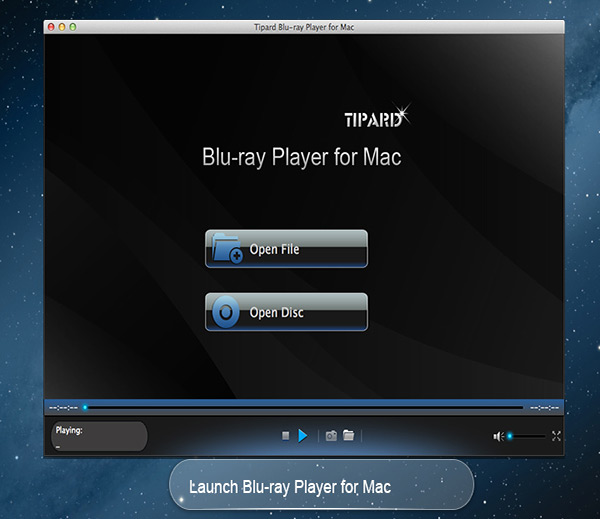 Tipard Blu-ray Player for Mac can not only help you play Blu-ray movies, Blu-ray folder and Blu-ray ISO image files with lossless quality on Mac, but also enables you to play HD MPG, HD MPEG, HD MPEG2, HD MPEG4, HD MP4, HD WMV, QuickTime HD MOV and other 1080p HD videos for Mac. Meanwhile, you can choose your desired video track and audio track when you play your Blu-ray movies in this software.
MAC | Shareware
Read More
VIDEOPAD MASTERS EDITION FOR MAC 18.05
Audio & Multimedia :: Video Tools
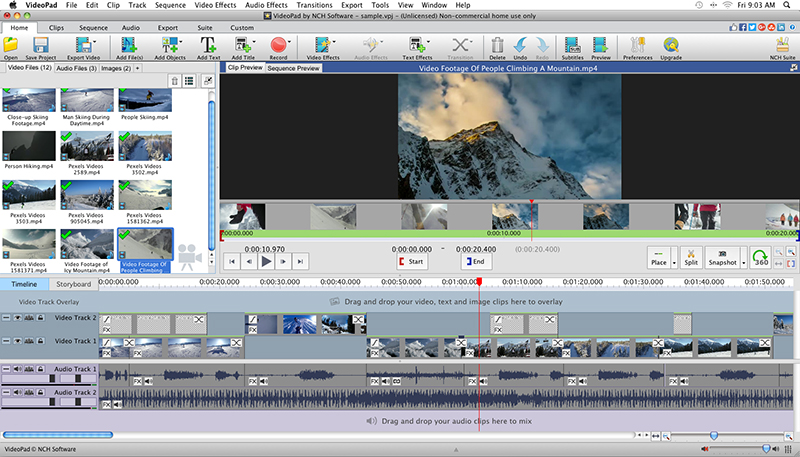 With VideoPad Masters Edition for Mac you can drag and drop files for easy video editing. You can also apply effects, transitions, speed adjustments, and more. VideoPad is one of the fastest video stream processors available. You can capture video from several sources, including DV camera, VHS, webcam, or raw files. You can also use VideoPad Masters to burn movies to DVD, share online, or post to video sites.
MAC | Shareware
Read More
VIDEOPAD FREE VIDEO EDITOR FOR MAC 18.05
Audio & Multimedia :: Video Tools
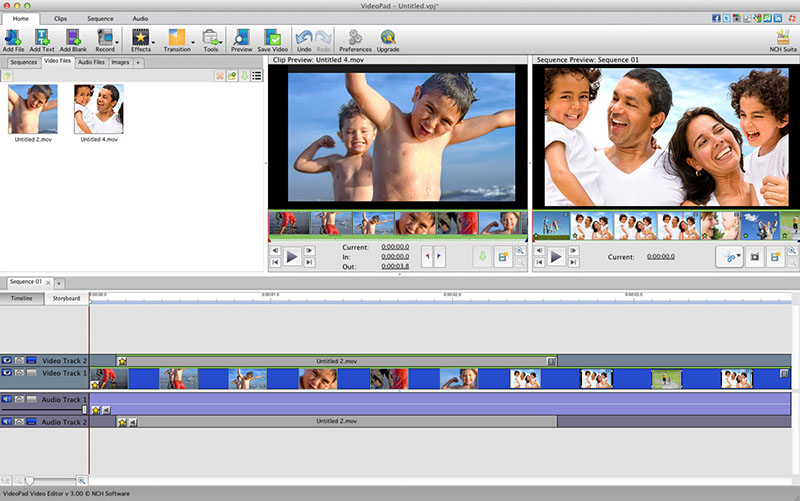 VideoPad is free video editing software for Mac. Create and edit professional quality videos whether you are combining several short video clips or working with just one video. Make movies you will be proud of and then burn them to DVD or share them online. Easily import and edit videos from a wide variety of sources supporting .mov, .avi, .wmv, .wmv, virtually any DV camcorder and more.
MAC | Freeware
Read More
VIDEOPAD VIDEO EDITOR FREE FOR MAC 18.05
Audio & Multimedia :: Video Tools
With VideoPad Free Video Editing Software for Mac, you can drag and drop files for easy video editing. You can also apply effects, transitions, speed adjustments, and more. VideoPad Free Editor is one of the fastest video stream processors available. You can capture video from several sources, including DV camera, VHS, webcam, or raw files. You can also use VideoPad Free to burn movies to DVD, share online, or post to video sites.
MAC | Freeware
Read More