


N5 Net Software Repository
Your one-stop for all your software needs.
Search N5 Net Software Repository:
Search Files
Sponsor:
Browse:
- Audio & Multimedia (1582)
- Business (1741)
- Communications (469)
- Desktop (134)
- Development (571)
- Education (165)
- Games & Entertainment (709)
- Graphic Apps (683)
- Home & Hobby (106)
- Network & Internet (544)
- Security & Privacy (505)
- Servers (67)
- System Utilities (9267)
- Web Development (284)
Areas Of Interest
Authors Area
Are you a software author? Take a look at our Author Resource Center where you will find marketing tools, software specifically created for promoting your software and a ton of other helpful resources.
Quick Access Folders & Files 2.2
System Utilities :: Shell Tools
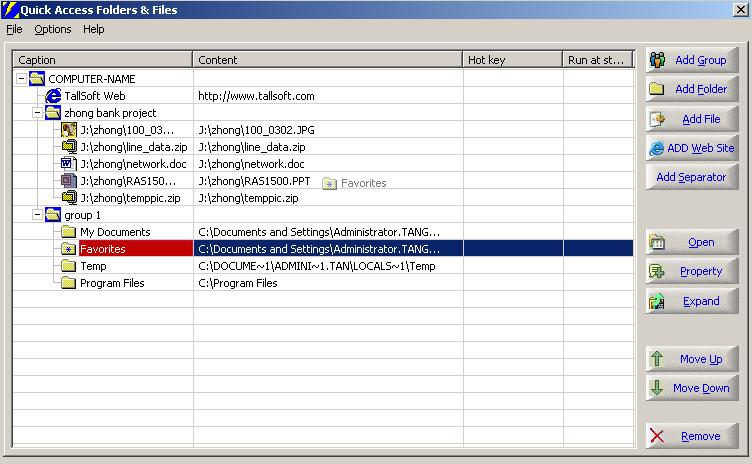
(Click to Enlarge)
Quick Access Folders & Files is an efficient desktop enhancement tool and a powerful explorer assistant . it could greatly increase the speed when users open or access folders/files/web sites (single or in batch ) or execute programs . Moreover, It could also do this automatically when system startup, or hotkey executions, etc . You can add all your commonly used groups/folders/files/web sites into Quick Access Folders & Files. Once you've added them, You will access them easily. Users can left-click or right-click on the question mark [?] button of all Open and Save dialog boxes to display the folders and files as a pop-up menu. Select the appropriate menu item to jump to the corresponding path or open the selected file in the File Dialog. In explorer, all files and folders are listed by the physical locations at which they are placed. However in Quick Access Folders & Files, you could place folder/file anywhere without increasing extra storage space. (all objects in it are stored through links) .A folder/file could be placed in more than one group ,while Quick Access Folders & Files provide multiple ways to access objects. Users could choose to : (1) access folders/files/filters by popup menus in all Open and Save dialog boxes (2) access files/folders/web sites or run programs by clicking the "Quick Access Folders & Files" icon in system tray (popup favorites menu) (3) access objects (groups/folders/files/web sites) or execute programs by pre-set hotkeys .If the object is "group", all items in the group will be opened or executed Quick Access Folders & Files is able to do four things: 1. make it easy to access the folders and files in all Open and Save dialog boxes . 2. Filter the files in all Open and Save dialog boxes. 3. make it easy to open folders / files / web sites (single or in batch ) or execute programs in any applications. 4. Hotkey to open folders / files / web sites (single or in batch ) or execute programs in any applications.
Specifications:
Version: 2.2 |
Download
|

Similar Products:
System Utilities :: Shell Tools
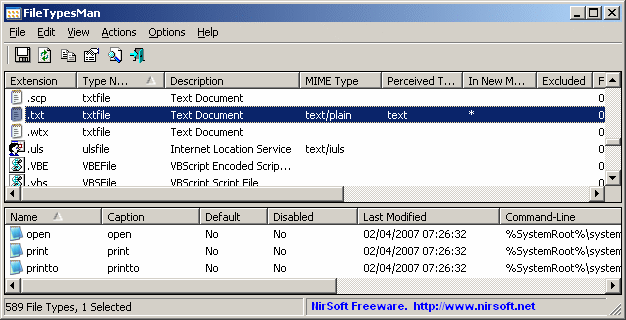 FileTypesMan is an alternative to the 'File Types' tab in the 'Folder Options' of Windows. It displays the list of all file extensions and types registered on your computer, and allows you to easily edit the properties and flags of each file type, as well as it allows you to add, edit, and remove actions in a file type.
Windows | Freeware
Read More
System Utilities :: Shell Tools
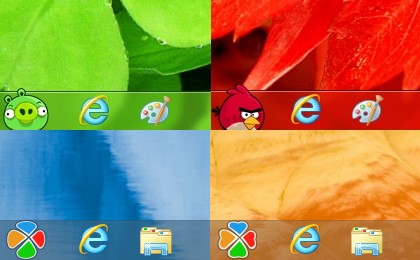 This is a set of two programs: Start Button for Windows 8 and the convenient Start Menu. How to add a Start Button to Windows 8? There are different answers to this question. But only Start Button 8 offers a convenient solution that is safe for your Windows. You will get a Start Button that can be customized. You can add and create your own skins for the Start Button. Start Button 8 is fully compatible with older versions of Windows.
Windows | Freeware
Read More
System Utilities :: Shell Tools
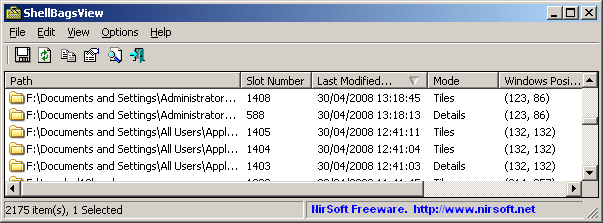 Each time that you open a folder in Explorer, Windows automatically save the settings of this folder into the Registry. This utility displays the list of all folder settings saved by Windows. For each folder, the following information is displayed: The date/time that you opened it, the entry number, display mode (Details, Icons, Tiles, and so on...), the last position of the window, and the last size of the window.
Windows | Freeware
Read More
System Utilities :: Shell Tools
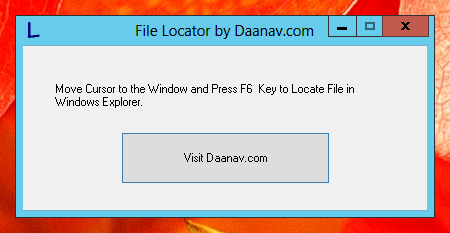 Locate File in Windows Explorer from Application Window. Just point Mouse Cursor to any Application Window and press the Shortcut Key to let this File Locator Find the Application File Path for you. This Free File Locator Utility does not requires any configuration to be done and works fine on Windows XP, Windows Vista, Windows 7 and other latest Windows Versions. Can be really useful to locate application files from popup windows.
Windows | Freeware
Read More