


N5 Net Software Repository
Your one-stop for all your software needs.
Search N5 Net Software Repository:
Search Files
Sponsor:
Browse:
- Audio & Multimedia (1572)
- Business (1734)
- Communications (470)
- Desktop (180)
- Development (572)
- Education (166)
- Games & Entertainment (708)
- Graphic Apps (684)
- Home & Hobby (105)
- Network & Internet (542)
- Security & Privacy (505)
- Servers (65)
- System Utilities (9409)
- Web Development (284)
Areas Of Interest
Authors Area
Are you a software author? Take a look at our Author Resource Center where you will find marketing tools, software specifically created for promoting your software and a ton of other helpful resources.
Apeaksoft Free Online Video Converter 1.0.2
Audio & Multimedia :: Video Tools
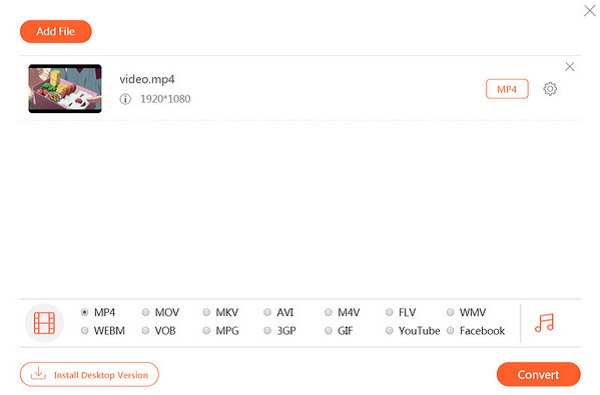
(Click to Enlarge)
Apeaksoft Free Online Video Converter is a simple and handy video converting tool. It can convert any video/audio file to MP4, AVI, MOV, MP3, GIF, etc. It also has a lot of powerful video/ audio settings functions to enhance video/audio by upscaling video resolution, choosing higher video/audio bitrate. What?s more, it will bring you a wonderful experience of converting 1080p HD videos. Apart from video converting functions, it also can be used as a video to GIF converter. Key Functions 1.Converter any video/audio to other format This software could converter video files to other formats, such as MP4, MOV, MKV, AVI, M4V, FLV, WMV, VOB, MPG, 3GP, GIF, etc. In addition, it could also converter audio files to MP3, AAC, AC3, WMA, WAV, etc. It also allows you to convert video to audio format, for example, concerting MOV to MP3, etc. In addition, it also could do the batch conversion at one time beyond your imagination. 2.Powerful profile settings function With this powerful free online video converter, you will have no problem in making various settings for your video/ audio even though you are a novice. You can use it to upscale video to higher resolution, set higher sample rate or bitrate for your audio, etc. 3.Fast conversion speed and super-high quality With advanced technology, Apeaksoft Free Online Video Converter has amazing fast converting speed, the conversion process will be completed when you enjoy a song. The most important thing is it has the ability to convert video/ audio with zero-quality loss. 4.Support both Windows and Mac, no file size limit It is really magical software with no requirement on system or browser. So you could use it both on your Windows and Mac. And please don?t worry about your large-size files, it has no limit to your file size. You can convert as much as you want.
Specifications:
Version: 1.0.2 |
Download
|

Similar Products:
TIPARD BLU-RAY PLAYER FOR MAC 6.2.78
Audio & Multimedia :: Video Tools
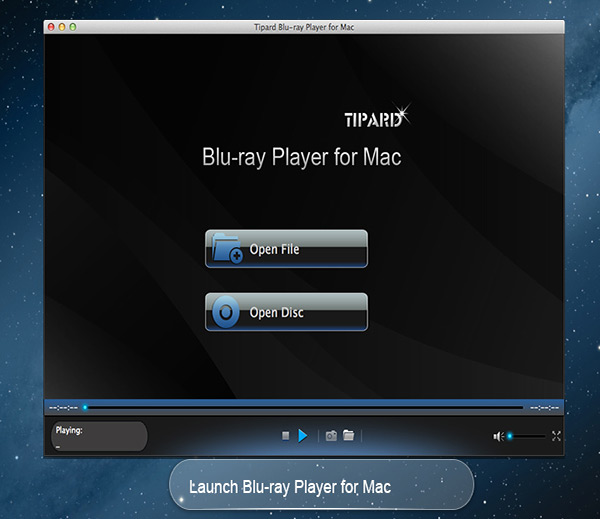 Tipard Blu-ray Player for Mac can not only help you play Blu-ray movies, Blu-ray folder and Blu-ray ISO image files with lossless quality on Mac, but also enables you to play HD MPG, HD MPEG, HD MPEG2, HD MPEG4, HD MP4, HD WMV, QuickTime HD MOV and other 1080p HD videos for Mac. Meanwhile, you can choose your desired video track and audio track when you play your Blu-ray movies in this software.
MAC | Shareware
Read More
VIDEOPAD MASTERS EDITION FOR MAC 18.05
Audio & Multimedia :: Video Tools
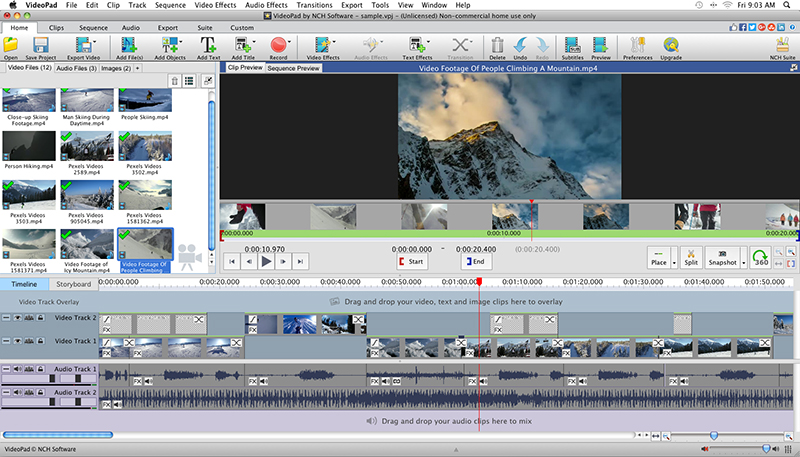 With VideoPad Masters Edition for Mac you can drag and drop files for easy video editing. You can also apply effects, transitions, speed adjustments, and more. VideoPad is one of the fastest video stream processors available. You can capture video from several sources, including DV camera, VHS, webcam, or raw files. You can also use VideoPad Masters to burn movies to DVD, share online, or post to video sites.
MAC | Shareware
Read More
VIDEOPAD FREE VIDEO EDITOR FOR MAC 18.05
Audio & Multimedia :: Video Tools
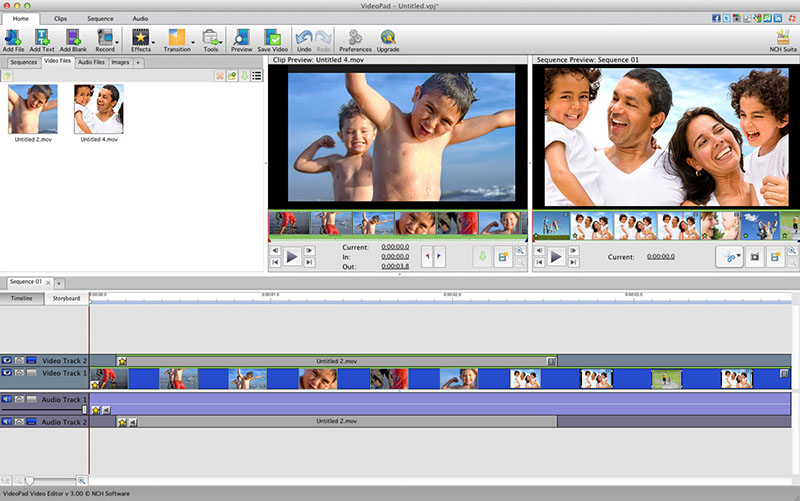 VideoPad is free video editing software for Mac. Create and edit professional quality videos whether you are combining several short video clips or working with just one video. Make movies you will be proud of and then burn them to DVD or share them online. Easily import and edit videos from a wide variety of sources supporting .mov, .avi, .wmv, .wmv, virtually any DV camcorder and more.
MAC | Freeware
Read More
VIDEOPAD VIDEO EDITOR FREE FOR MAC 18.05
Audio & Multimedia :: Video Tools
With VideoPad Free Video Editing Software for Mac, you can drag and drop files for easy video editing. You can also apply effects, transitions, speed adjustments, and more. VideoPad Free Editor is one of the fastest video stream processors available. You can capture video from several sources, including DV camera, VHS, webcam, or raw files. You can also use VideoPad Free to burn movies to DVD, share online, or post to video sites.
MAC | Freeware
Read More