


N5 Net Software Repository
Your one-stop for all your software needs.
Search N5 Net Software Repository:
Search Files
Sponsor:
Browse:
- Audio & Multimedia (1582)
- Business (1733)
- Communications (469)
- Desktop (135)
- Development (557)
- Education (165)
- Games & Entertainment (706)
- Graphic Apps (681)
- Home & Hobby (105)
- Network & Internet (538)
- Security & Privacy (504)
- Servers (67)
- System Utilities (9263)
- Web Development (281)
Areas Of Interest
Authors Area
Are you a software author? Take a look at our Author Resource Center where you will find marketing tools, software specifically created for promoting your software and a ton of other helpful resources.
TrayDay 7.10
(Click to Enlarge)
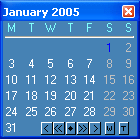
TrayDay - date, calendar, week number and counter utility for the Windows tray, or Windows XP Notification area. TrayDay places an icon showing the date (day of the month) in the system tray. The icon resembles a page of a "tear-off" calendar. You can therefore see the date at a glance - often quicker and easier than resting your mouse over the clock, searching for an "Insert Date" menu, or having to reach for your diary. Move the mouse over the icon and the day of the week will appear; you can also have the Julian Day number in the Tooltip, and the "Internet Time" as defined by Swatch®. Left-click the icon and a pop-up menu appears showing the date in various formats - including up to ten user defined formats. Click one and it will automatically be inserted into your application (or copied to the clipboard, depending on the option checked in the right-click menu). Formats can include dates defined by calendar week and day number, as in 2008-W15-2 for April 8, 2008. TrayDay also has a calendar option which displays a small calendar on your desktop. This calendar can display 1 or 3 months at a time, and has color scheme features. You can choose to have the calendar "on top" all the time for quick reference. Navigate months and years using the mouse or keyboard - or your mouse wheel - and type any date in the format of your choice. TrayDay can also display the week numbers on the calendar; press the W (or S) button on the calendar to switch week numbers on and off. Windows 7/8/10 compatible.
Specifications:
Version: 7.10 |
Download
|

Similar Products:
Business :: PIMS & Calendars
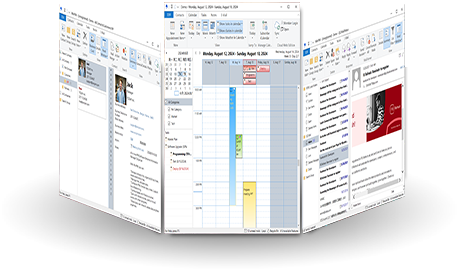 WinPIM is a professional personal information manager (PIM). It is the best software to manage your Contacts, Diaries, Appointments, Tasks, Notes, E-Mails or any other information. WinPIM also gives you an easy and low cost network solution for sharing all data simultaneously with everyone in your workgroup! Users can login the same net data folder with diferent user name and access or with the same user name and access.
Windows | Freeware
Read More
Desktop :: Themes & Wallpaper
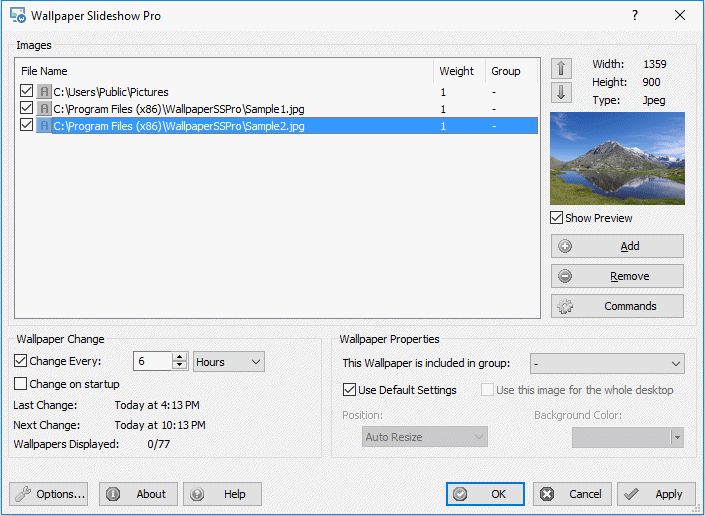 Wallpaper Slideshow Pro is a powerful and flexible wallpaper manager for Windows that transforms your photo collection into a dynamic desktop experience. Whether you have hundreds of vacation photos or thousands of curated images, WallpaperSS Pro makes it easy to enjoy them as your desktop wallpaper, with full control over every aspect of the display.
Windows | Shareware
Read More
Desktop :: Other
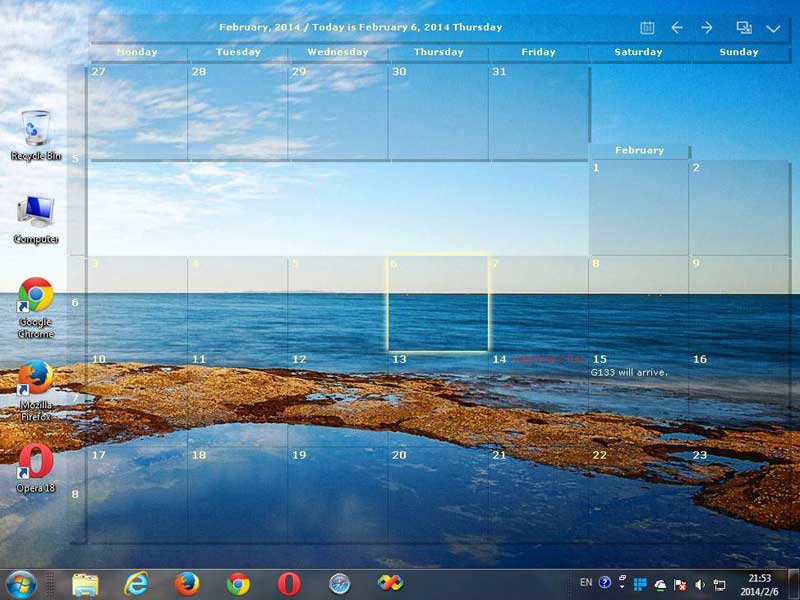 CalendarTask is a transparent desktop calendar that lets you double-click to add notes, tasks, and schedules. It includes reminders and multi-device sync.
Windows | Freeware
Read More
CUBEXSOFT SMARTERMAIL EXPORT 12.5
System Utilities :: File & Disk Management
 For SmarterMail export email accounts data to cloud Web/ Desktop Apps, the SmarterMail Export is perfect solution that works as smooth SmarterMail converter program and it enables to convert, transfer SmarterMail files to PST, PDF, MSG, EML, MBOX, DOC, XPS, Thunderbird, WLM, Zimbra, Entourage, O365, Gmail/G Suite, Exchange, Outlook.com, Yahoo.
Windows | Shareware
Read More