


N5 Net Software Repository
Your one-stop for all your software needs.
Search N5 Net Software Repository:
Search Files
Sponsor:
Browse:
- Audio & Multimedia (1582)
- Business (1741)
- Communications (469)
- Desktop (134)
- Development (571)
- Education (165)
- Games & Entertainment (709)
- Graphic Apps (683)
- Home & Hobby (106)
- Network & Internet (544)
- Security & Privacy (505)
- Servers (67)
- System Utilities (9267)
- Web Development (284)
Areas Of Interest
Authors Area
Are you a software author? Take a look at our Author Resource Center where you will find marketing tools, software specifically created for promoting your software and a ton of other helpful resources.
SAEAUT SMS Service Web Client 2.1.0
Network & Internet :: Browser Tools
(Click to Enlarge)
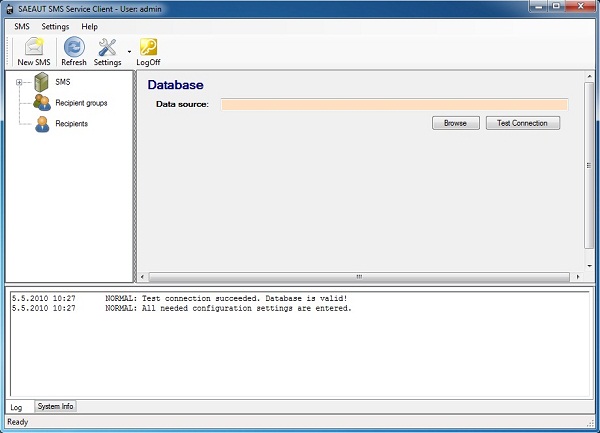
SAEAUT SMS Web Client is the web application running in web server which uses services provided by the software SAEAUT SMS Service. It enables editing and sending of individual and group SMS using user interface in web browser. Authenticated user can browse own sent SMS. SAEAUT SMS Service usage: sending of information to customers, SMS marketing, managing of employees remotely, SMS voting, maintenance initialization, SMS tickets sending, the parking place and other services reservation and paying, resending e-mails as SMS, starting of various programs and scripts using SMS. According to this delivered web application, different applications providing above mentioned functionality can be written. SAEAUT SMS Service enables: 1. sending and receiving of SMS messages via devices with a GSM modem (or over Internet) from more computers in LAN (local area network) or over Internet 2. cooperation with your software applications via shared database file 3. Implementation of SMS applications using VBA script in the SMS mdb-database file The core functionality is provided by application without user interface implemented as Windows Service. All necessary settings are provided by delivered configurator application which is also able to function as client application enabling editing and sending of SMS. Another visually alike client application is installable on other computers in the LAN. SAEAUT SMS Service features: 1. sending SMS message created and saved to the shared database by a client application 2. receiving SMS message and saving to the shared database for usage by client applications 3. it uses PDU format for message transfer to the GSM modem 4. it communicates with client applications using database file in MS Access format (other databases on demand) 5. it is tested with couple of GSM modems and GSM services providers. 6. logging of activities and removing of old messages from database can be parametrized
Specifications:
Version: 2.1.0 |
Download
|

Similar Products:
Network & Internet :: Browser Tools
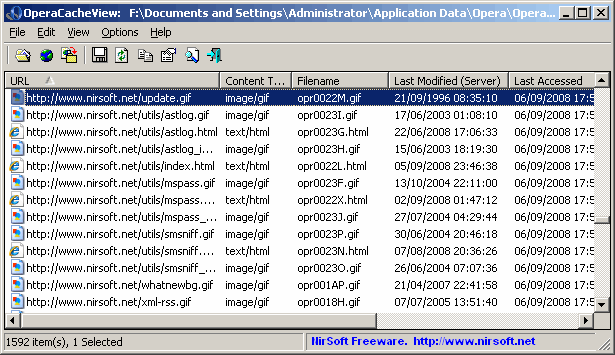 OperaCacheView is a small utility that reads the cache folder of Opera Web browser, and displays the list of all files currently stored in the cache. For each cache file, the following information is displayed: URL, Content type, File size, Last accessed time, and last modified time in the server.
You can easily select one or more items from the cache list, and then extract the files to another folder, or copy the URLs list to the clipboard.
OperaCacheView is a small utility that reads the cache folder of Opera Web browser, and displays the list of all files currently stored in the cache. For each cache file, the following information is displayed: URL, Content type, File size, Last accessed time, and last modified time in the server.
You can easily select one or more items from the cache list, and then extract the files to another folder, or copy the URLs list to the clipboard.
Windows | Freeware
Read More
BACKREX INTERNET EXPLORER BACKUP 2.8.176
Network & Internet :: Browser Tools
 BackRex Internet Explorer Backup allows you to save Internet Explorer custom settings, including favorites, history, dialup accounts, autocomplete passwords and cookies. BackRex can help you to migrate settings from one computer to another, even with different versions of Windows and/or Internet Explorer.
Windows | Freeware
Read More
IE OPEN LAST CLOSED TAB 4.1.0.0
Network & Internet :: Browser Tools
 Accidentally closing webpages in Internet Explorer you really didn't want to close can be a pain. With Open Last Closed Tab, you can re-open those closed tabs by hitting Alt-X or by selecting the page in the toolbar list of previously closed tabs. The newly added Quick Tab Style View, displayed when you hit Alt-Q, shows you thumbnails of the previous tabs you've closed with filtering support to visually identify pages you want to re-open.
Windows | Freeware
Read More
Network & Internet :: Browser Tools
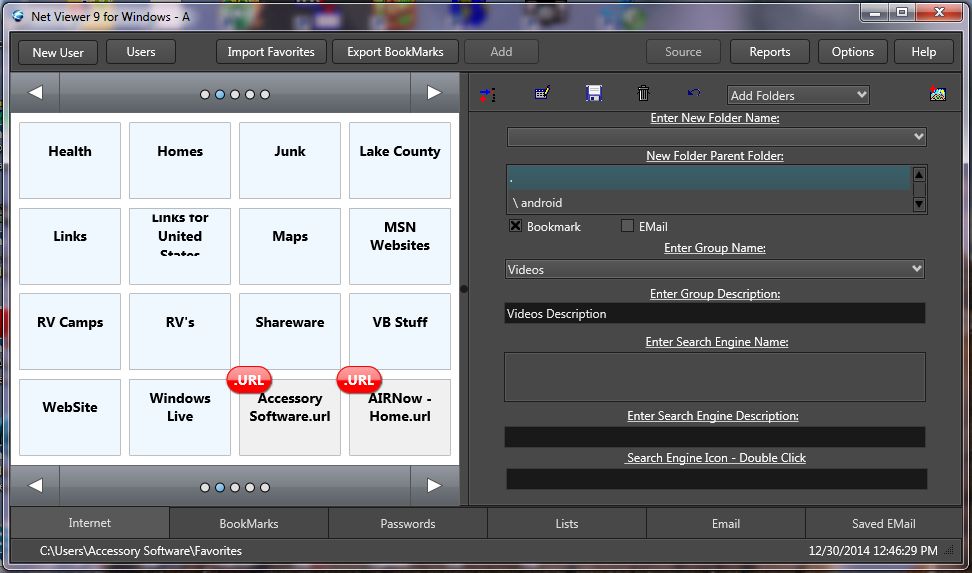 Organize thousands of Web Sites by Categories, priorities, search words, and Users in a secure database. Collect Web Sites automatically while browsing the internet using a number of Web Browsers at once. Save EMail, URL's, Passwords by Web Site in the database. You can view all your collected web sites by category, priority, web site name, and three search key words. Extract Links from Web Pages and Save Web Pages OffLine.
Windows | Shareware
Read More