


N5 Net Software Repository
Your one-stop for all your software needs.
Search N5 Net Software Repository:
Search Files
Sponsor:
Browse:
- Audio & Multimedia (1582)
- Business (1741)
- Communications (469)
- Desktop (134)
- Development (571)
- Education (165)
- Games & Entertainment (709)
- Graphic Apps (683)
- Home & Hobby (106)
- Network & Internet (544)
- Security & Privacy (505)
- Servers (67)
- System Utilities (9267)
- Web Development (284)
Areas Of Interest
Authors Area
Are you a software author? Take a look at our Author Resource Center where you will find marketing tools, software specifically created for promoting your software and a ton of other helpful resources.
Fast Folder Access 2.0
System Utilities :: Shell Tools
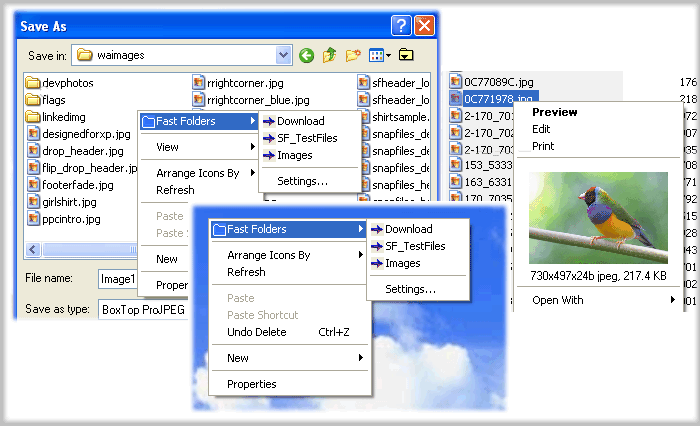
(Click to Enlarge)
Fast Folder Access is a shell enhancement that gives you quick jump to your favorite folders in Common Open/Save dialogs, in Windows Explorer, the desktop and the Start Button.You access the Fast Folder menu by right-clicking anywhere in the File,Directory,directory background (right pane) of Windows Explorer, the "white area" of Common Open/Save -dialogs,on the desktop and the Start button. In the menu that pops up, there will be a new item called "Fast Folders" with a list of folders that you have added from within Fast Folder Access or from the item "Add to Fast Folder" on the pop-up menu by right-clicking the directory in Windows Explorer. Then you can fast and easy browse these folders. It's also an add-on for viewing images in Windows Explorer that lets you right-click on an image file to bring up a miniature image and image file information. Also you can add any file as shortcut to Quick Launch or create new folder.Having created the new folder, you can add or drag the shortcuts to this new submenu. Fast Folder Access runs automatically as part of the Windows Explorer context menu, so you will never need to start the program otherwise you want to edit the list of folders.
Specifications:
Version: 2.0 |
Download
|

Similar Products:
FOLDER MARKER FREE - CUSTOMIZE FOLDERS 4.9
System Utilities :: Shell Tools
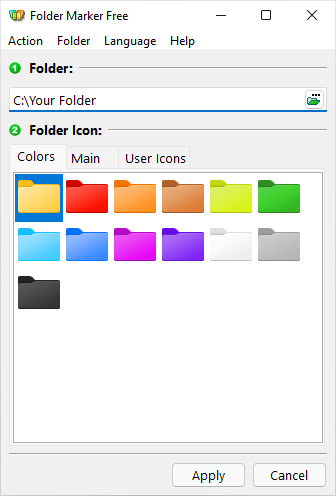 Folder Marker is a handy shell extension that enables you to quickly customize folder icons to indicate a priority level or project status (high, low, done, half-done, planned etc.), or you can use it to label a folder with a special icon or color of your choice. Simply right-click on any folder and select the icon or color to be used from the newly added menu option. Folder Marker supports single and multiple folder selections and is freeware.
Windows | Freeware
Read More
FOLDER MARKER HOME - CHANGE FOLDER COLOR 4.9
System Utilities :: Shell Tools
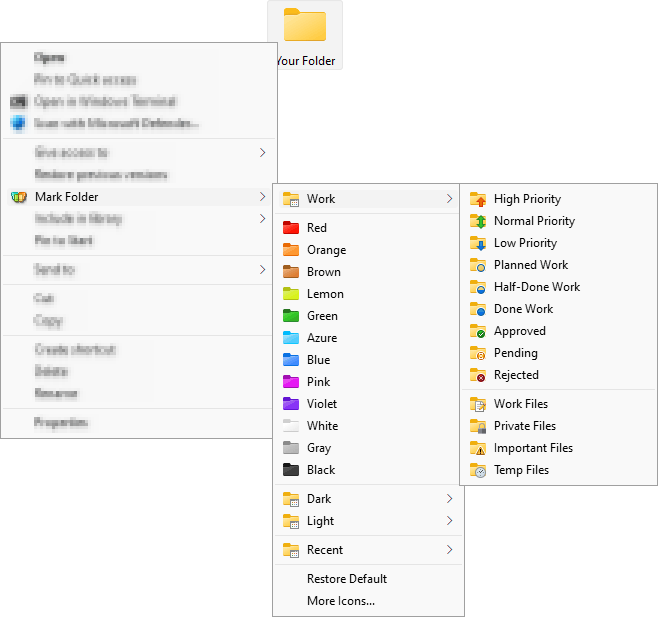 Change folder color or icon in 2 mouse clicks to indicate a priority level or project status (high, low, done, half-done, planned, etc.). Simply right-click on any folder and select the color or icon to be used from the newly added menu option. Folder color change helps you to get your files in order! Folder Marker Home has 86 amazing icons build-in, and you can get even more on the program's website.
Windows | Shareware
Read More
System Utilities :: Shell Tools
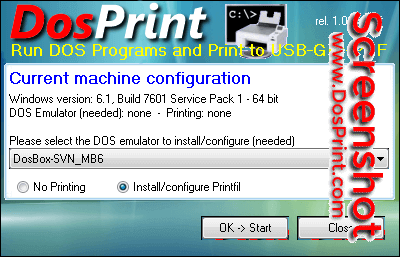 DosPrint allows you running DOS programs on modern Windows computers (64 bit too) and printing to Windows printers (including USB, GDI and PDF) by installing specialist third party programs specifically designed to solve these common DOS problems. It checks if you've a 32/64 bit Windows version (in the last case a DOS emulator is needed to run a DOS program, otherwise Windows itself is enough), and selects the best additions for you to install.
Windows | Freeware
Read More
System Utilities :: Shell Tools
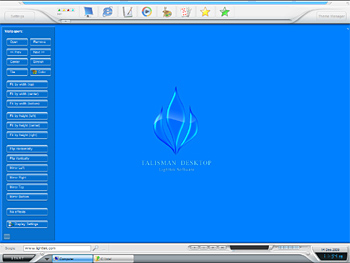 Talisman Desktop is a desktop manager and shell-replacement for Windows 9x/ME and NT/2000/XP/Vista/7. The program lets users design their own desktops and interfaces or choose from hundreds of downloadable themes, which work either atop or as complete replacements for the default Windows shell. Unlike Windows themes, Talisman Desktop lets you completely customize the Windows interface.
Windows | Shareware
Read More