


N5 Net Software Repository
Your one-stop for all your software needs.
Search N5 Net Software Repository:
Search Files
Sponsor:
Browse:
- Audio & Multimedia (1582)
- Business (1741)
- Communications (469)
- Desktop (134)
- Development (571)
- Education (165)
- Games & Entertainment (709)
- Graphic Apps (683)
- Home & Hobby (106)
- Network & Internet (544)
- Security & Privacy (505)
- Servers (67)
- System Utilities (9267)
- Web Development (284)
Areas Of Interest
Authors Area
Are you a software author? Take a look at our Author Resource Center where you will find marketing tools, software specifically created for promoting your software and a ton of other helpful resources.
DVDFab_4k_recorder_copy_for_mac 12.0.0.3
Audio & Multimedia :: Video Tools
(Click to Enlarge)
4K Recording Gets Popular as 4K Broadcasting Advances As 4K broadcasting technologies, such as BS4K channel of NHK, CS4K channel of SKY PerfecTV and others alike, keep advancing day by day, the sales of 4K recorders capable of recording 4K Blu-rays from those broadcasting stations, are also going up rapidly. Also seeing a growing demand is the Mac 4K BDAV backup software that can be used to make backup copies to those recorded 4K Blu-ray discs. This is when and where DVDFab 4K Recorder Copy for Mac kicks in to help consumers decrypt and then backup 4K BDAV Blu-ray discs, with Clone, Full Disc or Main Movie copy mode. Support 4K BDAV Discs Made by Major 4K Recorders Different from commercial 4K Ultra HD Blu-ray discs that are produced based on standard specifications, the specifications of recorded 4K Blu-ray discs largely depend on the 4K recorder manufacturers, each may have its own standard that might be slightly different from one another. That being said, with DVDFab 4K Recorder Copy for Mac, users don't have to worry about the specification thing, as this Mac 4K BDAV copy software has them all covered, including the m2ts format from Sharp devices, the mmts format from Panasonic devices, and more. Clone the 4K BDAV Discs in a Lossless Manner DVDFab 4K Recorder Copy for Mac allows users to clone the recorded 4K BDAV Blu-rays in a lossless manner, whether directly to blank Blu-ray discs or Mac HDDs as ISO files. What's more, another two backup modes, Full Disc and Main Movie with compression and BDMV conversion features are already in the works, and will be available in the future update. Playback Compatible with Major 4K Recorders When choosing to burn the output to blank Blu-ray discs, the resulting 4K discs can play back normally on the original 4K recorders, regardless of the manufacturers.
Specifications:
Version: 12.0.0.3 |
Download
|

Similar Products:
TIPARD BLU-RAY PLAYER FOR MAC 6.2.78
Audio & Multimedia :: Video Tools
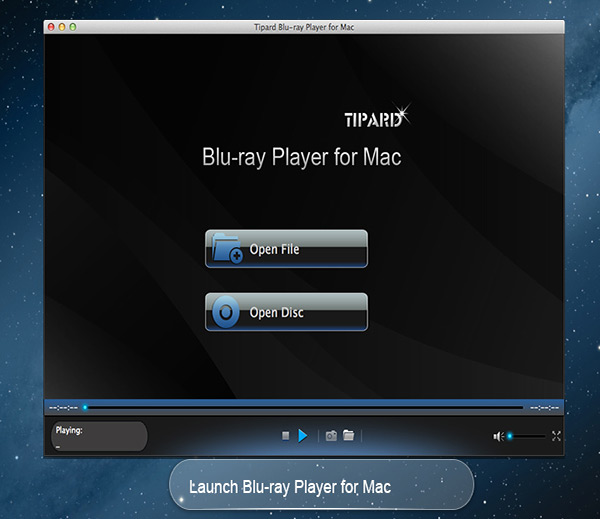 Tipard Blu-ray Player for Mac can not only help you play Blu-ray movies, Blu-ray folder and Blu-ray ISO image files with lossless quality on Mac, but also enables you to play HD MPG, HD MPEG, HD MPEG2, HD MPEG4, HD MP4, HD WMV, QuickTime HD MOV and other 1080p HD videos for Mac. Meanwhile, you can choose your desired video track and audio track when you play your Blu-ray movies in this software.
MAC | Shareware
Read More
VIDEOPAD MASTERS EDITION FOR MAC 18.05
Audio & Multimedia :: Video Tools
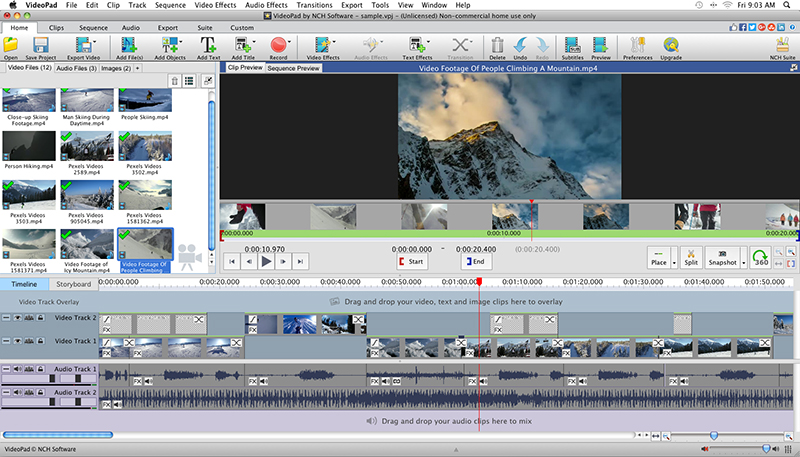 With VideoPad Masters Edition for Mac you can drag and drop files for easy video editing. You can also apply effects, transitions, speed adjustments, and more. VideoPad is one of the fastest video stream processors available. You can capture video from several sources, including DV camera, VHS, webcam, or raw files. You can also use VideoPad Masters to burn movies to DVD, share online, or post to video sites.
MAC | Shareware
Read More
VIDEOPAD FREE VIDEO EDITOR FOR MAC 18.05
Audio & Multimedia :: Video Tools
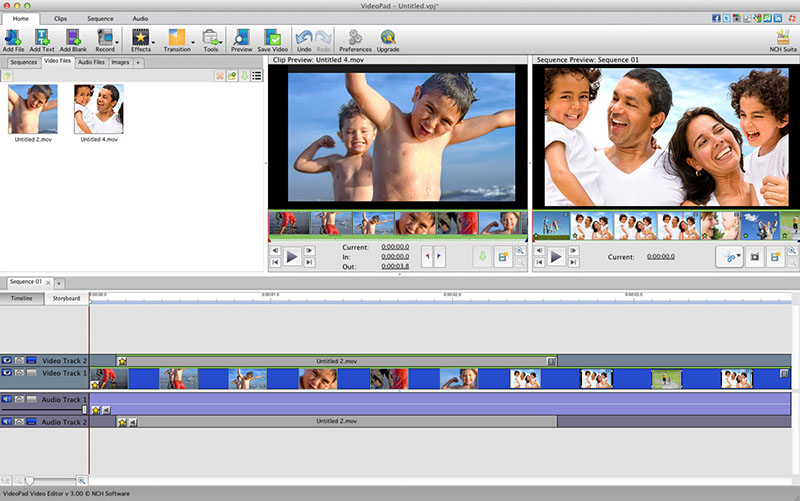 VideoPad is free video editing software for Mac. Create and edit professional quality videos whether you are combining several short video clips or working with just one video. Make movies you will be proud of and then burn them to DVD or share them online. Easily import and edit videos from a wide variety of sources supporting .mov, .avi, .wmv, .wmv, virtually any DV camcorder and more.
MAC | Freeware
Read More
VIDEOPAD VIDEO EDITOR FREE FOR MAC 18.05
Audio & Multimedia :: Video Tools
With VideoPad Free Video Editing Software for Mac, you can drag and drop files for easy video editing. You can also apply effects, transitions, speed adjustments, and more. VideoPad Free Editor is one of the fastest video stream processors available. You can capture video from several sources, including DV camera, VHS, webcam, or raw files. You can also use VideoPad Free to burn movies to DVD, share online, or post to video sites.
MAC | Freeware
Read More