


N5 Net Software Repository
Your one-stop for all your software needs.
Search N5 Net Software Repository:
Search Files
Sponsor:
Browse:
- Audio & Multimedia (1566)
- Business (1738)
- Communications (472)
- Desktop (180)
- Development (573)
- Education (166)
- Games & Entertainment (709)
- Graphic Apps (679)
- Home & Hobby (105)
- Network & Internet (543)
- Security & Privacy (503)
- Servers (64)
- System Utilities (9409)
- Web Development (284)
Areas Of Interest
Authors Area
Are you a software author? Take a look at our Author Resource Center where you will find marketing tools, software specifically created for promoting your software and a ton of other helpful resources.
DVDFab UHD to Blu-ray Converter 10.2.1.7
Audio & Multimedia :: Video Tools
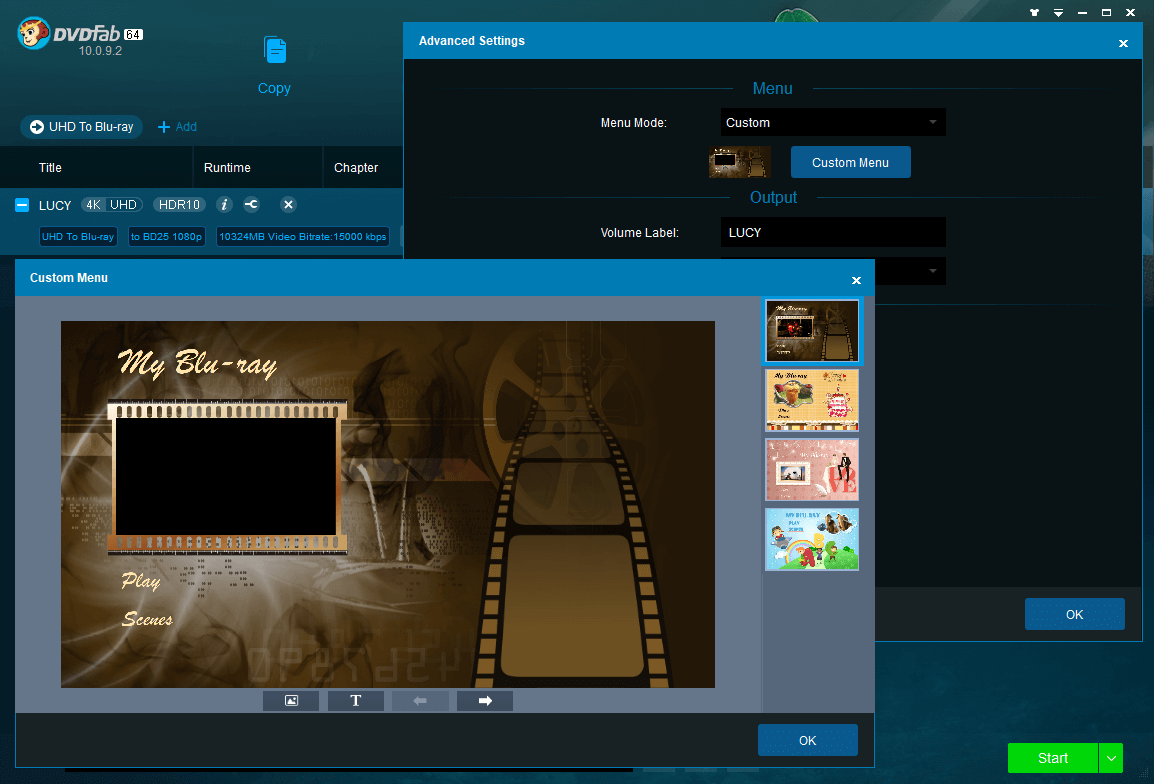
(Click to Enlarge)
DVDFab UHD to Blu-ray Converter is world?s 1st 4K UHD to Blu-ray converter software. It is specifically designed for users who, from time to time, need to downscale 4K Ultra HD Blu-rays (3840 × 2160p) to better-than-official Blu-rays. Features Highlight: 1.Downscale 4K Blu-rays to Standard Blu-ray Specification Your home Blu-ray player or PC playback software cannot handle 4K Ultra HD Blu-rays? No need to bother! With DVDFab UHD to Blu-ray Converter, you can downscale and convert 4K Ultra HD Blu-rays to 1080p Blu-ray format, which strictly conforms to standard Blu-ray specifications, and thus, is compatible with all the non-4K Blu-ray playback 2.Convert HDR10 to SDR Better Than Official Blu-rays To meet the standard Blu-ray specification, during the conversion process, the HDR10 contents will be converted to SDR (standard dynamic range) contents. However, in terms of video quality, you can barely tell a difference between the converted SDR video and the original HDR video, because our unique conversion engine manages to preserve most of the natural color details of the HDR10 contents on the original 4K Blu-rays, including its brightness, saturation, sharpness and vividness, etc. 3.Convert HDR10 to SDR Better Than Official Blu-rays 4.Flexible Output Choices to HDDs or Blank Medium 5.Blazing Fast Conversion and Processing Speed For more information about DVDFab UHD to Blu-ray Converterl, please visit https://www.dvdfab.cn/uhd-to-blu-ray-converter.htm
Specifications:
Version: 10.2.1.7 |
Download
|

Similar Products:
BANDICUT VIDEO CUTTER 4.2.5.2562
Audio & Multimedia :: Video Tools
 Bandicut is a video editor that can cut out certain parts of video or merge multiple videos. Because it cuts videos without re-encoding, you can clip/trim parts of video quickly while preserving the original video quality. Users can also extract audio from video to MP3, join multiple video files, or split the video into multiple files. If you want to create a video clip from a video file and upload it to YouTube or Vimeo, please try Bandicut.
Windows | Shareware
Read More
VIDEOPAD FREE VIDEO EDITOR 18.13
Audio & Multimedia :: Video Tools
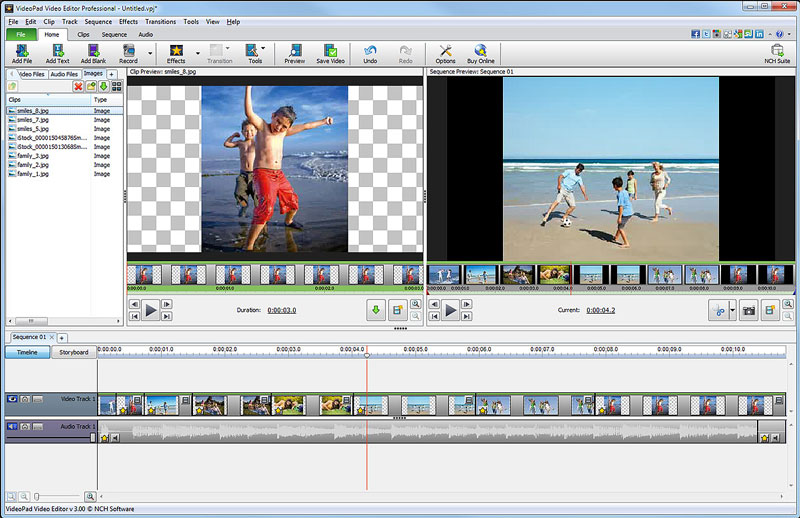 Free movie maker and video editing software for Windows. This video editing application allows you to import various file formats including .avi, .wmv, .3gp, .wmv, .divx and many others. Create great looking videos easily with the intuitive user interface. This is a free, video editing application which allows you create movie projects from various video clips or a single video file.
Windows | Freeware
Read More
PRISM PLUS VIDEO FILE CONVERTER 13.04
Audio & Multimedia :: Video Tools
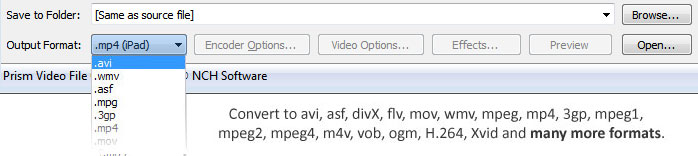 Prism is a video file converter for Windows. It can convert video files from avi, mpg, vob, wmv (Windows Media Video formats) and more into avi, asf or wmv files. Prism Video Converter is very easy to use. Just add the files you want to convert to the list, select the format you want to use, and then click the convert button.
Windows | Shareware
Read More
Audio & Multimedia :: Video Tools
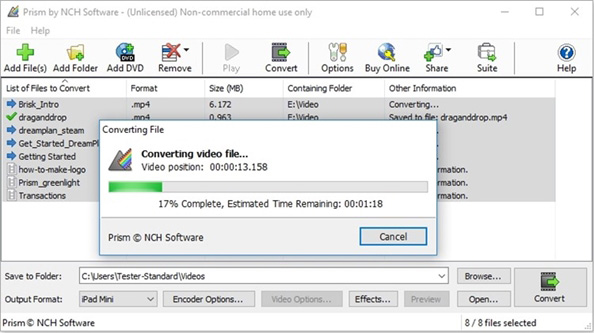 Prism Plus software to convert video file formats for Windows. Supported file types include but aren't limited to avi, mpg, vob, wmv (Windows Media Video formats) and more into avi, asf or wmv files. Prism Video Converter is simple to learn. Add the files that need converting to the list, select the output format you want and then click the convert button.
Windows | Shareware
Read More