


N5 Net Software Repository
Your one-stop for all your software needs.
Search N5 Net Software Repository:
Search Files
Sponsor:
Browse:
- Audio & Multimedia (1582)
- Business (1741)
- Communications (469)
- Desktop (134)
- Development (571)
- Education (165)
- Games & Entertainment (709)
- Graphic Apps (683)
- Home & Hobby (106)
- Network & Internet (544)
- Security & Privacy (505)
- Servers (67)
- System Utilities (9267)
- Web Development (284)
Areas Of Interest
Authors Area
Are you a software author? Take a look at our Author Resource Center where you will find marketing tools, software specifically created for promoting your software and a ton of other helpful resources.
Internet Download Manager 6.42.63
Network & Internet :: Download Managers
(Click to Enlarge)
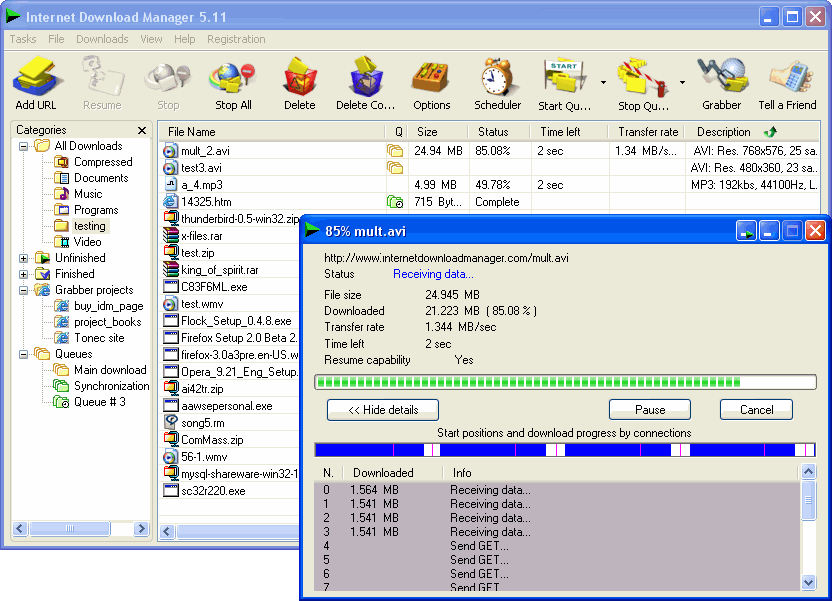
Internet Download Manager(IDM) is a tool to increase download speeds by up to 10 times, resume and schedule downloads. Comprehensive error recovery and resume capability will restart broken or interrupted downloads due to lost connections, network problems, computer shutdowns, or unexpected power outages. Simple graphic user interface makes IDM user friendly and easy to use. Internet Download Manager has a smart download logic accelerator that features intelligent dynamic file segmentation and safe multipart downloading technology to accelerate your downloads. Unlike other download managers and accelerators Internet Download Manager segments downloaded files dynamically during download process and reuses available connections without additional connect and login stages to achieve best acceleration performance. Compatible with all versions of Windows: Vista/7/8/10/NT. The program also features Download Video and Audio Panels for Edge, Chrome and Chrome based, Opera, Safari, Firefox and FireFox based browsers that appears on top of a web-player and can be used to download flash videos from sites like YouTube, MySpaceTV and others. Supports most of streaming video protocols. IDM integrates seamlessly into Edge, MSN Explorer, Opera, Firefox, Firebird, Chrome, Avant Browser, MyIE2, and all other popular browsers to automatically handle your downloads. Has site grabber that can download all images or files of some other type from a site, or complete site for offline browsing. Other features include multilingual support, ZIP preview, download categories (including custom), scheduler pro, sounds on different events, HTTPS support, queue processor, HTML help and tutorial, enhanced virus protection on download completion, progressive downloading with quotas (useful for connections that use some kind of fair access policy or FAP like Directway, Direct PC, Hughes, etc.), built-in download accelerator, and many others.
Specifications:
Version: 6.42.63 |
Download
|

Similar Products:
IE OPEN LAST CLOSED TAB 4.1.0.0
Network & Internet :: Browser Tools
 Accidentally closing webpages in Internet Explorer you really didn't want to close can be a pain. With Open Last Closed Tab, you can re-open those closed tabs by hitting Alt-X or by selecting the page in the toolbar list of previously closed tabs. The newly added Quick Tab Style View, displayed when you hit Alt-Q, shows you thumbnails of the previous tabs you've closed with filtering support to visually identify pages you want to re-open.
Windows | Freeware
Read More
CLASSROOM SPY PROFESSIONAL 5.6.2
Security & Privacy :: Covert Surveillance
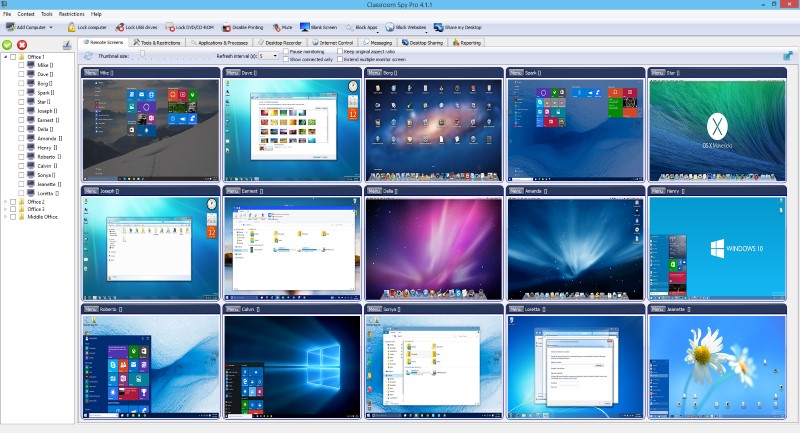 A simple and powerful classroom management software that allows you to see live screens of student computers or show you screen to students. You can take control of a remote computer by controlling the mouse and keyboard. Additionally you can also record student's screens. Several tools allow you to turn off, restart, hibernate.... remote computers with one click. Starting program on remote computers is easy.
Windows | Shareware
Read More
NETWORK LOOKOUT ADMINISTRATOR PRO 5.5.1
Network & Internet :: Remote Computing
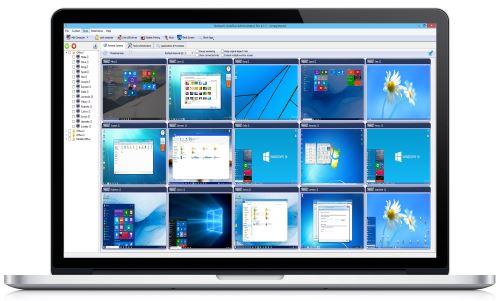 The Network LookOut Administrator Pro allows you to see live screens of remote computers. This way, you can always watch what users are doing on the remote computer. Additionally, you have the ability to take control of a remote computer by controlling the mouse and keyboard; this is especially useful when you need to assist the person who uses the remote computer. If you are an administrator, you can easily administer remote computers.
Windows | Shareware
Read More