


N5 Net Software Repository
Your one-stop for all your software needs.
Search N5 Net Software Repository:
Search Files
Sponsor:
Browse:
- Audio & Multimedia (1565)
- Business (1732)
- Communications (466)
- Desktop (182)
- Development (569)
- Education (166)
- Games & Entertainment (707)
- Graphic Apps (683)
- Home & Hobby (105)
- Network & Internet (543)
- Security & Privacy (500)
- Servers (65)
- System Utilities (9315)
- Web Development (281)
Areas Of Interest
Authors Area
Are you a software author? Take a look at our Author Resource Center where you will find marketing tools, software specifically created for promoting your software and a ton of other helpful resources.
AnyMP4 Blu-ray Creator 1.1.82
Audio & Multimedia :: Video Tools
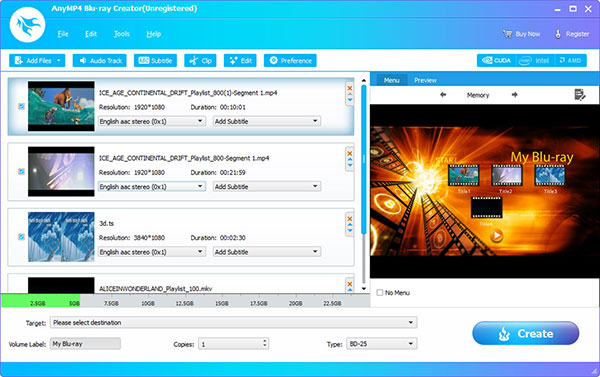
(Click to Enlarge)
AnyMP4 Blu-ray Creator allows you to create Blu-ray disc with various prevalent video formats including MP4, MKV, AVI, MOV, M4V, WMV, MTS, TS and so on. In addition, you are able to create Blu-ray folder and ISO file with fast speed and excellent quality. Apart from that, you can add the audio track/subtitle, choose your preferred menu, add the background music/picture and edit the movie effect according to your needs. Key features: 1. Burn Blu-ray disc/folder/ISO image files with any video formats. AnyMP4 Blu-ray Creator enables you to create BD 25 or BD 50 with different kinds of videos like MP4, MKV, AVI, MOV, M4V, WMV, MTS, TS and more. Meanwhile, you are able to create the Blu-ray folder and ISO file as well. Hence, you can enjoy your loved movies at any time. 2. Edit your video output effects. With AnyMP4 Blu-ray Creator, you are able to edit your movie from following aspects. For example, you can clip your video length by setting the start time and end time, so you can get out of unnecessary parts in your video. You can also crop the video frame and set the crop area size. You can customize the output video effect by adjusting Brightness, Contrast, Saturation, Hue and Volume. Whats more, you can add the watermark to the video. 3. Choose your loved menu and edit the menu This AnyMP4 Blu-ray Creator software allows you to choose your favorite Blu-ray menu style, and adjust the frame/button/text of the menu style. Meanwhile, you are able to add background music as you like. You can also adjust the loop duration of the menu. 4. Edit the audio tracks and add subtitles for Blu-ray movie. AnyMP4 Blu-ray Creator can help you edit the audio track of your movie from many aspects, such as language, volume and latency. Moreover, you can add subtitles in your new creation.
Specifications:
Version: 1.1.82 |
Download
|

Similar Products:
VIDEOPAD FREE VIDEO EDITOR 18.13
Audio & Multimedia :: Video Tools
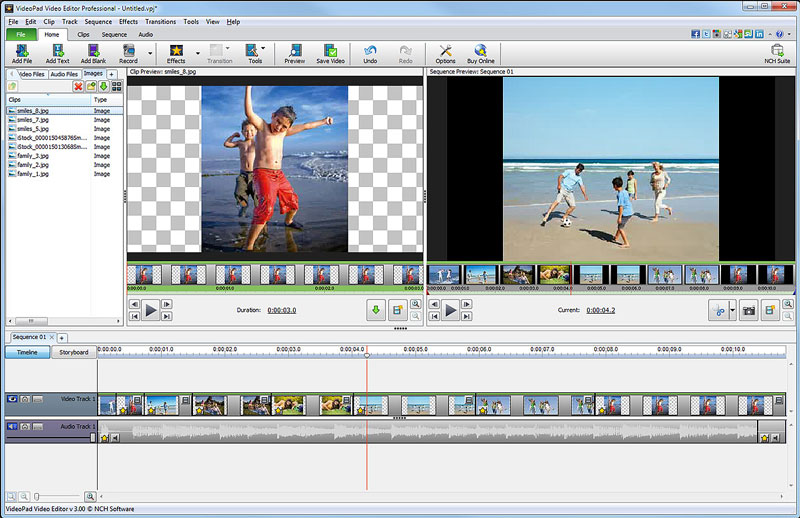 Free movie maker and video editing software for Windows. This video editing application allows you to import various file formats including .avi, .wmv, .3gp, .wmv, .divx and many others. Create great looking videos easily with the intuitive user interface. This is a free, video editing application which allows you create movie projects from various video clips or a single video file.
Windows | Freeware
Read More
PRISM PLUS VIDEO FILE CONVERTER 13.04
Audio & Multimedia :: Video Tools
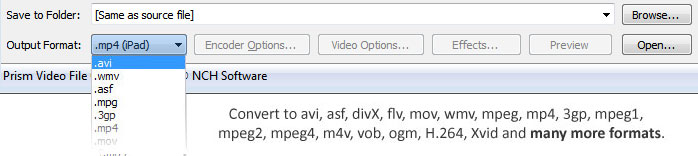 Prism is a video file converter for Windows. It can convert video files from avi, mpg, vob, wmv (Windows Media Video formats) and more into avi, asf or wmv files. Prism Video Converter is very easy to use. Just add the files you want to convert to the list, select the format you want to use, and then click the convert button.
Windows | Shareware
Read More
Audio & Multimedia :: Video Tools
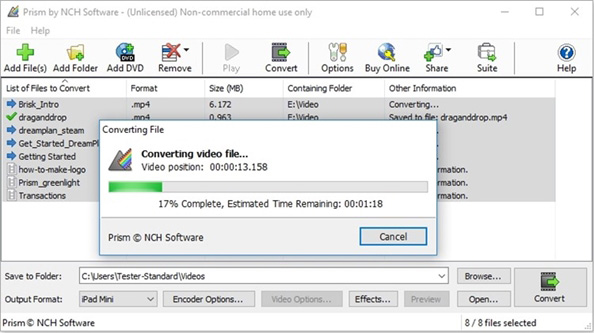 Prism Plus software to convert video file formats for Windows. Supported file types include but aren't limited to avi, mpg, vob, wmv (Windows Media Video formats) and more into avi, asf or wmv files. Prism Video Converter is simple to learn. Add the files that need converting to the list, select the output format you want and then click the convert button.
Windows | Shareware
Read More
VIDEOPAD MASTERS EDITION 18.13
Audio & Multimedia :: Video Tools
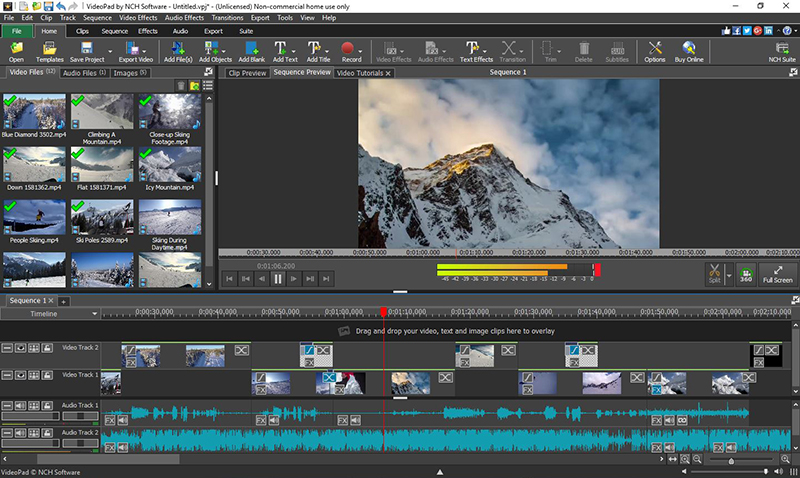 VideoPad Masters Edition by NCH Software is professional video editing software for Windows to create movies and edit videos of many different formats including avi, wmv, .3gp, wmv, divx and more. Create great looking videos or movies easily with the intuitive user interface. Drag and drop video clips. Choose from over 50 visual effects and transitions including chroma key or green screen technology. Burn your video to DVD or share to Youtube.
Windows | Shareware
Read More