


N5 Net Software Repository
Your one-stop for all your software needs.
Search N5 Net Software Repository:
Search Files
Sponsor:
Browse:
- Audio & Multimedia (1527)
- Business (1697)
- Communications (462)
- Desktop (135)
- Development (555)
- Education (163)
- Games & Entertainment (700)
- Graphic Apps (657)
- Home & Hobby (102)
- Network & Internet (524)
- Security & Privacy (499)
- Servers (65)
- System Utilities (8668)
- Web Development (279)
Areas Of Interest
Authors Area
Are you a software author? Take a look at our Author Resource Center where you will find marketing tools, software specifically created for promoting your software and a ton of other helpful resources.
Downloading File Checksum Tool 1.41
Your download will begin in a few seconds. If it does not start you can download directly through one of the mirror sites below.
- Mirror Site 1: http://dl.krylack.com/hashtool.exe
Get Details for File Checksum Tool 1.41
Similar Products:
System Utilities :: File & Disk Management
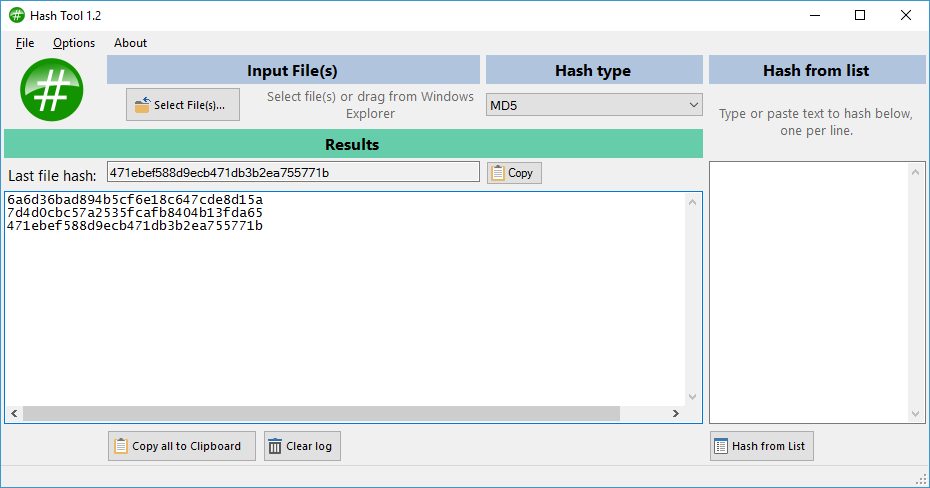 Calculate the hashes of multiple files - MD5, CRC32, SHA-1, SHA-256, SHA-384, SHA-512. You can copy MD5 hashes to the clipboard or save to a text file from an easy to use interface.
Windows | Freeware
Read More
INFINITE PASSWORD GENERATOR 3.1
Security & Privacy :: Password Managers
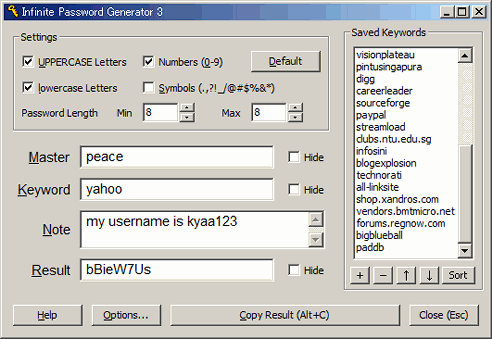 Infinite Password Generator makes any number of different passwords for websites and applications. Using only a single Master Password that you need to remember and a keyword of your choice, you can use entirely different passwords for different websites! The MD5 algorithm makes sure that no one gets the Master Password from the generated password. Also carry this app in a portable USB drive!
Windows | Freeware
Read More
System Utilities :: Backup & Restore
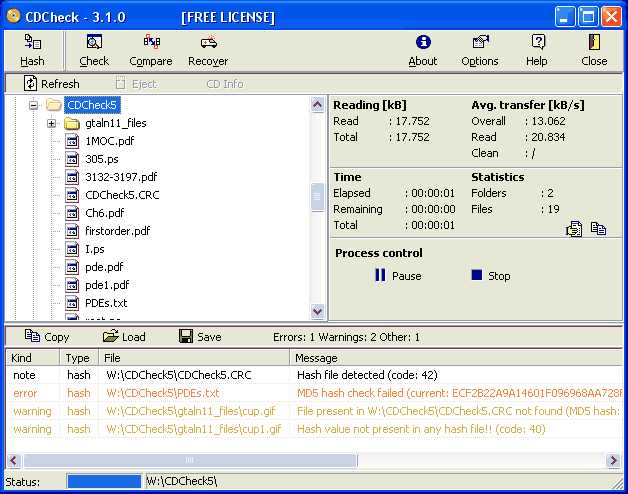 CDCheck is utility for prevention, detection and recovery of damaged files with emphasis on error detection. It offers readability verification, creation and checking of MD5, CRC-32, SHA... hashes (in file formats SFV, MD5 and CRC), extremly efficient file compare and recovery. CDCheck can be used on all files visible by the operating system. Apart from this it also works with audio CDs and provides information about inserted CD/DVD (type...).
Windows | Shareware
Read More
WINDOWS PASSWORD RECOVERY BOOTDISK 5.0
Security & Privacy :: Password Managers
 Windows Password Recovery Bootdisk works as a life ring when you forget or lose a Windows user account password. In few minutes it erases the password to a specific user account or all of them with a specially created bootable CD/DVd disk or a USB drive. Just boot from it, select the remove password option and reboot to freely login to the system. Alternatively you can restore password hashes to try to recover the original passwords.
Windows | Shareware
Read More
System Utilities :: Automation Tools
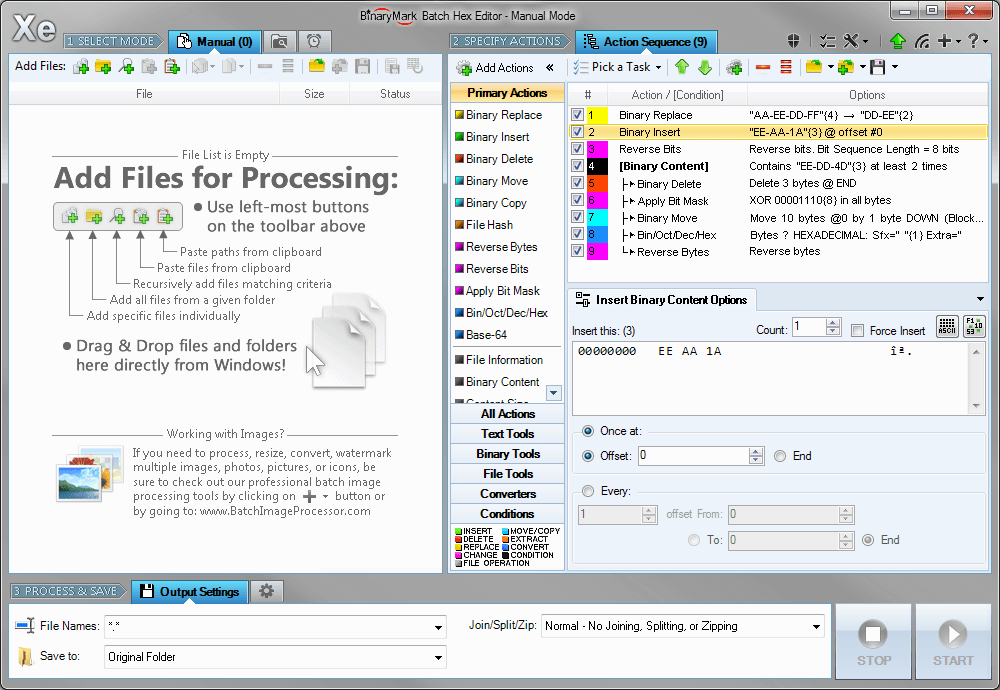 Replace, insert, delete, copy, move, reverse, and otherwise modify bytes and bits in multiple files. Search and replace supports wildcard bytes and match selection. Perform bitwise operations on specified bytes with bitmasks and operators like NOT, AND, OR, XOR. Reverse order of specified bytes and bits. Compute MD5, SHA1, SHA2, RIPEMD hashes and CRC checksums for whole files or specified bytes. Convert files to/from bin-hex and Base-64 formats.
Windows | Shareware
Read More
BATCH FILE RENAME FREE 5.0.137
System Utilities :: File & Disk Management
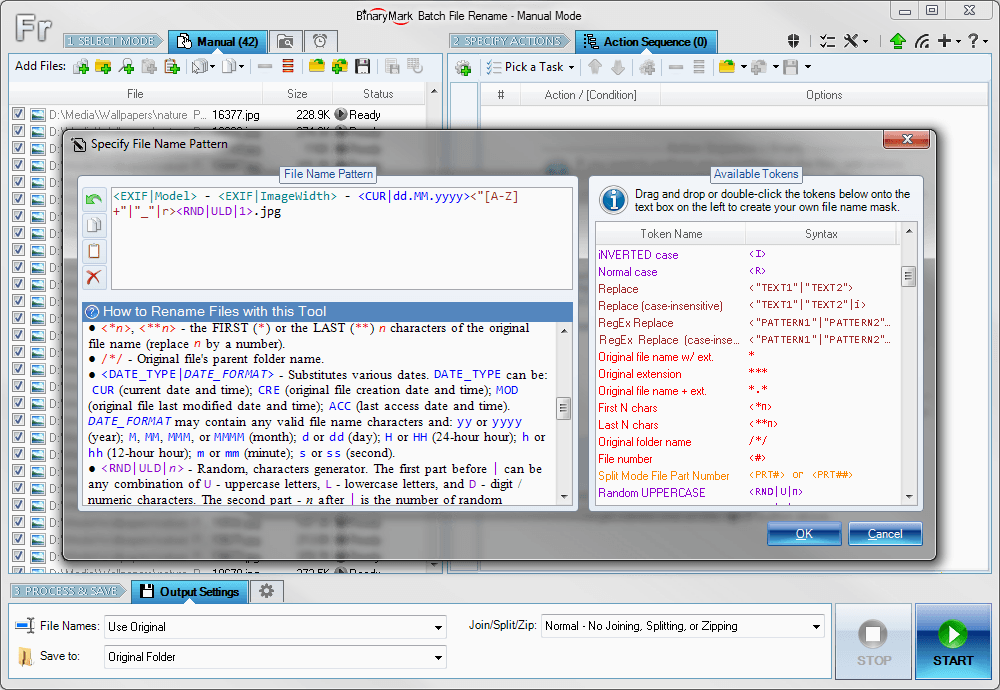 Rename multiple files according to the rules and pattern you specify using powerful editor with syntax highlighting. Modify original file name by removing or copying its parts, replacing text, changing letter case, or using Regular Expressions. Include dynamic elements in file names: file properties (dates, size); hashes (MD5, SHA1, SHA2, CRC); MP3 ID3 and JPG EXIF tags; random characters; current date and time; parent folder name; etc.
Windows | Shareware
Read More
Network & Internet :: Browser Tools
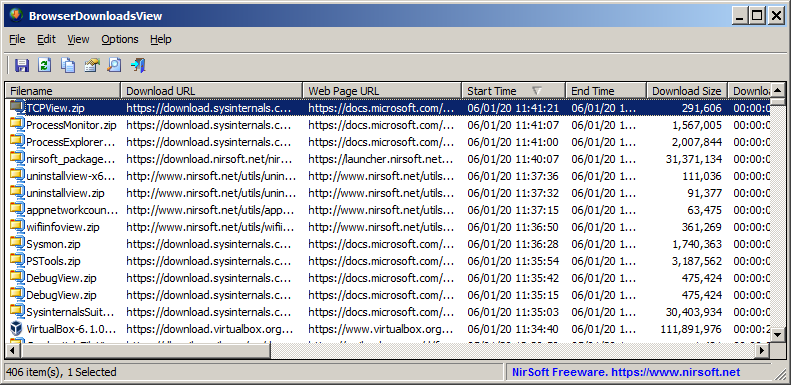 BrowserDownloadsView is a tool for Windows that displays the details of downloaded files of Chrome and Firefox Web browsers. For every download, the following information is displayed: Filename, Download URL, Web Page URL, Start Time, End Time, Download Duration, Download Size, Web Browser, and more...
Windows | Freeware
Read More
System Utilities :: Other
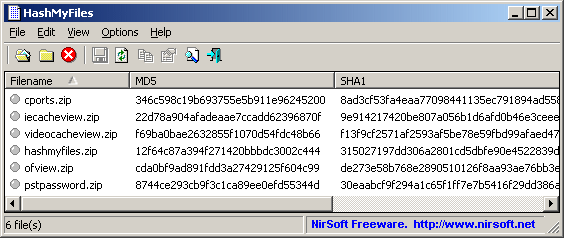 HashMyFiles is small utility that allows you to calculate the MD5 and SHA1 hashes of one or more files in your system. You can easily copy the MD5/SHA1 hashes list into the clipboard, or save them into text/html/xml file.
HashMyFiles can also be launched from the context menu of Windows Explorer, and display the MD5/SHA1 hashes of the selected file or folder.
HashMyFiles is small utility that allows you to calculate the MD5 and SHA1 hashes of one or more files in your system. You can easily copy the MD5/SHA1 hashes list into the clipboard, or save them into text/html/xml file.
HashMyFiles can also be launched from the context menu of Windows Explorer, and display the MD5/SHA1 hashes of the selected file or folder.
Windows | Freeware
Read More
Security & Privacy :: Other
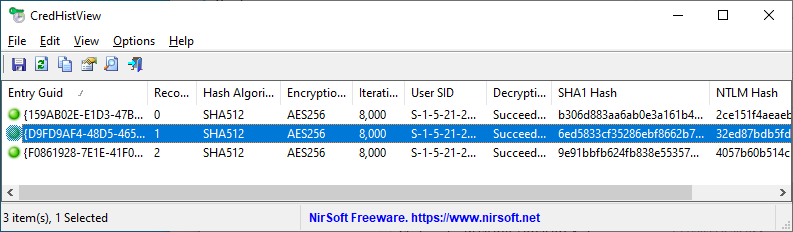 Every time that you change the login password on your system, Windows stores the hashes of the previous password in the CREDHist file (Located in %appdata%\Microsoft\Protect\CREDHIST ) This tool allows you to decrypt the CREDHist file and view the SHA1 and NTLM hashes of all previous passwords you used on your system. In order to decrypt the file, you have to provide your latest login password.
Windows | Freeware
Read More